Boxcutter 719 – Seax Release Log

Boxcutter has been through quite an adventure and while the new feature list is short, I felt a moment of reflection was needed to get everyone up to speed on Boxcutter as it is now.

Boxcutter, like Hard Ops has many nestled threads and interconnected paths of tasking to dictate the next level and provide adequate functionality for every step. One of the paths is the “Classic” path which encompasses the legacy feature of old boxcutter that still has not been remade in the 2.8 era.

This release is kicked off by the return of a fan favorite legacy feature finally up for remake in this generation. With formalities aside I am happy to announce the release of Boxcutter 719 “Saex”.

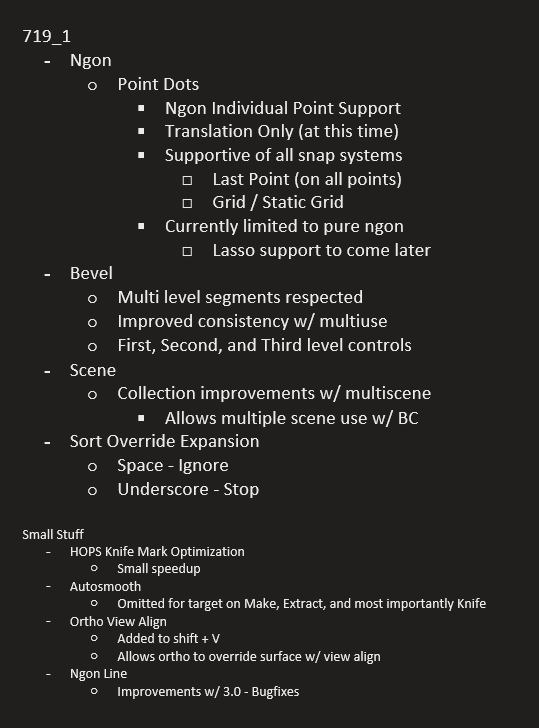
A release log was prepared to kick off this event.
Installation is the same as always.

Boxhelper Default

The Boxhelper is now default. To those unfamiliar a video was prepared.

Ngon Points V1

Ngon points was one of the most popular classic features of the past that is now brought back into the current time. Anytime during ngon pause or tab will show points allowing for translation.

Translation was the focus of this V1 of ngon dots.

Lasso point were also omitted from this round due to unique rules.

Bevelling points will come at a later time. It was just too much to crunch on for this round.

In the video above it can be observed that last point is supported but it also supports grid both dynamic and static.

Deleting points is also on the list of things todo. For the goals envisioned ngon will need a special edit mode. But for now the goal of translation is the purpose of this release.

Bevel Management

Bevel management refers to how we behave with multiple bevel mods in boxcutter in this case. Previously the segments would be rather random and not able to be respected between uses. This drove me nuts and I am happy to say it is much more logical.

It’s small but I just needed a little sanity with bevel and multi use to reduce keypress overhead.

Multi-Scene Improvements

Collections required a degree of improvement to work better with multi scene workflows. With this update it is now possible all around to work with multiple scenes without issue.

Sort Overrides

If I were asked what is sort, I’d reply it is the nanny state for modifier management. As with any system of automation it can turn against it’s human masters. For that reason we wanted to add overrides to sort.

Overrides in this context apply to the modifier name and prefixing it with a character.

Space – Ignore (will not be moved by sort)

Underscore ‘_’ – Stop (will not affect any modifiers past that point)

This is an advanced topic however is essential to all who work with modifiers. Sometimes when working you want to freeze or lock a stack from edit and this is that.

Sort depth also plays a role in overriding sort.

The goal of sort is to have something powerful, effective, and behind the scenes assisting with modifier management. Eventually it won’t even require awareness due to just doing what is needed but sort is there for you if you need it and can be disabled with ease.

Ortho View Align

This option allows for view align to be predominant in orthographic.

Autosmooth Adjustments

Make, Knife and Extract will no longer adjust autosmooth on the target.

This makes boxcutter a little more reasonable in cases where it is not needed like subdivision conversion.

It became apparent through casual use that having auto-smooth set by knife operations is not only illogical its not what Blender would do for sure. Extraction is a non-cut operation and thus should not affect the target at all at any time and make is just a make based on the surface of the target so adjusting it’s autosmooth was unnecessary.

I probably should have realized it then.

Now autosmooth never has to be off for me.

In Closing P1

And with that the Boxcutter 719 event kicks off. However before closing I’d like to recap some of the buildup to this moment worthy of the release log so will be included now.

I hope everyone enjoys the latest update. We continue to put our all into it. I am forever grateful to the team for the continued efforts despite life, despite setbacks. It is in adversity that the true us arises.

Boxhelper Default (continued)

The initial pie was made on the inception of Boxcutter. Over time our needs have grown as have our need to present additional items to the user for a fluid workflow. The boxhelper was made to facillitate those needs and is now default in Boxcutter.

For users attached to the pie an option exists to go back to the classic style as well.

Static Grid – Shift + K

Static grid is the alternative of the dynamic grid in boxcutter. It also has a few extras that the classic grid does not. For example, shift + K will knife project the grid into the mesh allowing for quick grid cutting if needed. As of 718_12 it has the ability to cut individual faces.

Custom Auto-Proportion 1:1 Mode

Custom once played by the rules of box which I had issues with. Box requires 2 maneuvers before extrude while I felt custom should be 1 gesture period. Including extrude / lazorcut (cut through).

Auto proportions can be enabled in the Boxhelper or in the behavior panel.

If desired one can still draw with box behaviors and flexibilities.

The goal is to ensure that when a custom cutter is used, the proper proportions can be had without hotkeys and depth be provided automatically. Resulting in a 1:1:1 cut.

Even Ngon supports 1:1 behavior.

Autoflip X/Y

If a shape is pulled over itself, it should flip. That is all there is to it.

Easier said than done but now it is a thing.

Dimensional Recall

1:1:1 recall. Just like with custom I need to recall shapes in the same form they were made.

Reverse Bevel Recall

Reverse bevels are easy to make but not so easy to recall. A long road was walked to get to this moment but my eyes remained on the prize. To recall a reverse bevel shape without flipping, unintended normal correction or deviated from the initial shape.

Ctrl + R – Rotate By 90°

Shift + ~ will rotate a shape inside which is useful when keeping the bounds but sometimes you need to flat out rotate the entire shape. That is where ctrl + R comes in.

Inset RECUT Return

I am well aware of the difficulty with inset. For that reason a playlist was made.

Recut is a way to base an inset off of the initial unmodified mesh. This expands the usability quite a bit and is needed for the success of Inset. I am happy to announce it is back greater than ever.

Box Grid (cut) Backface

I want grid to align. However I also wanted grid to cut. With our grid cutter is became apparent without backface the separations wouldn’t behave properly.

A small thing but essential to Boxcutters grid cut.

Someday I wanna cut grids.

Perfect Wedge

When it comes to wedge it needed a method to make perfect wedges. By holding ctrl on extrude it will jump to the proper wedge amount to remove the guesswork.

Wedge is just handy when needing to make surface differentials. Any shape can be wedged from circle to lasso. Just press W.

BC_transformer (Improved Clone)

The bc_transformer is now capable of duplicating more shapes than ever including radial arrays!

Circle (P)

To reverse bevel a circle a new circle had to be made.

There is much to this circle compared to the previous which explains why it is the new default circle.

Sound Effects Forward / Back Buttons

Sound effects can now be forwarded or reversed to previous sfx allowing for user to try and experience them more fluidly.

Extraction Fade

Extraction needed a force feedback to indicate the action used. Extraction fade aims to fill that hole.

Dynamic Grid V3

“Don’t get me started on grid”

The dynamic grid remake was quite the undertaking. In retrospect, It was an adventure but repairing a central pillar is never an easy task. I applaud the work of proxe and loof towards getting this to come out in the form desired. For those requiring something more classic there is static grid.

In closing P2

Alot has happened with Boxcutter to this point and we are nowhere near done. There sits a couple of things that await deployment but the question is how to fit it together cohesively leaving the most minimal of holes. I hope everyone enjoys this latest version and if you are interested in the progress up to now, a playlist has been prepared on the topic.


Hard Ops 007 Intro Guide


2016-02-23_09-31-55Gumroad customers… the file is in the gumroad. At the top. The latest files are always at the top.

If you have issues enabling it. Reboot your PC.

current install location:C:\Users\<USER>\AppData\Roaming\Blender Foundation\Blender\2.76\scripts\addons\

I tend to install by copying it to the folder. Not using the install from file in Blender. But whatever works I suppose.


________________________________________________________________ 

Hard Ops has experienced many changes underneath while attempting to retain the same philosophies that have been used over the course of it’s development.

The menus have been revamped with many new options and new icons thanks to Adam Krol or AK.

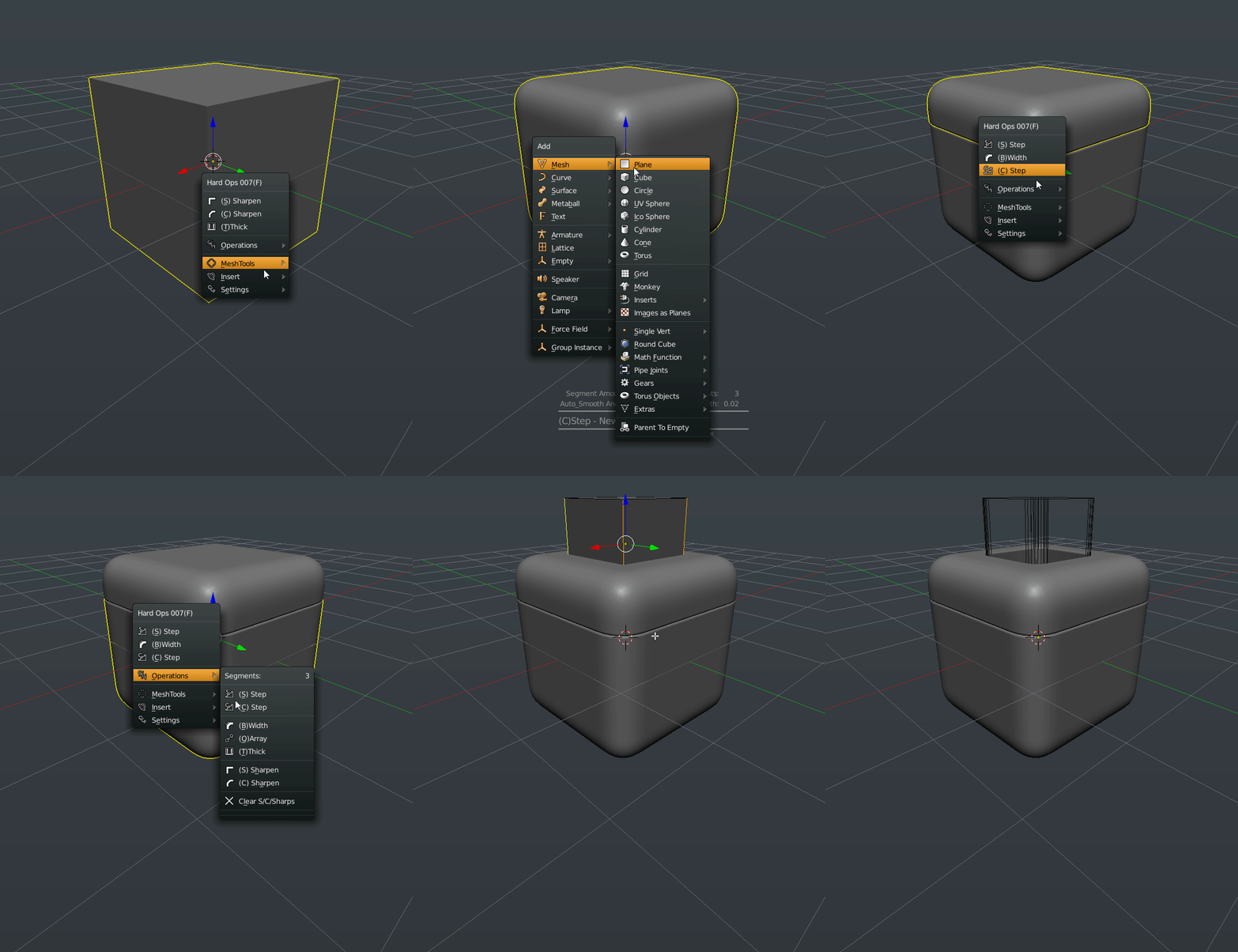
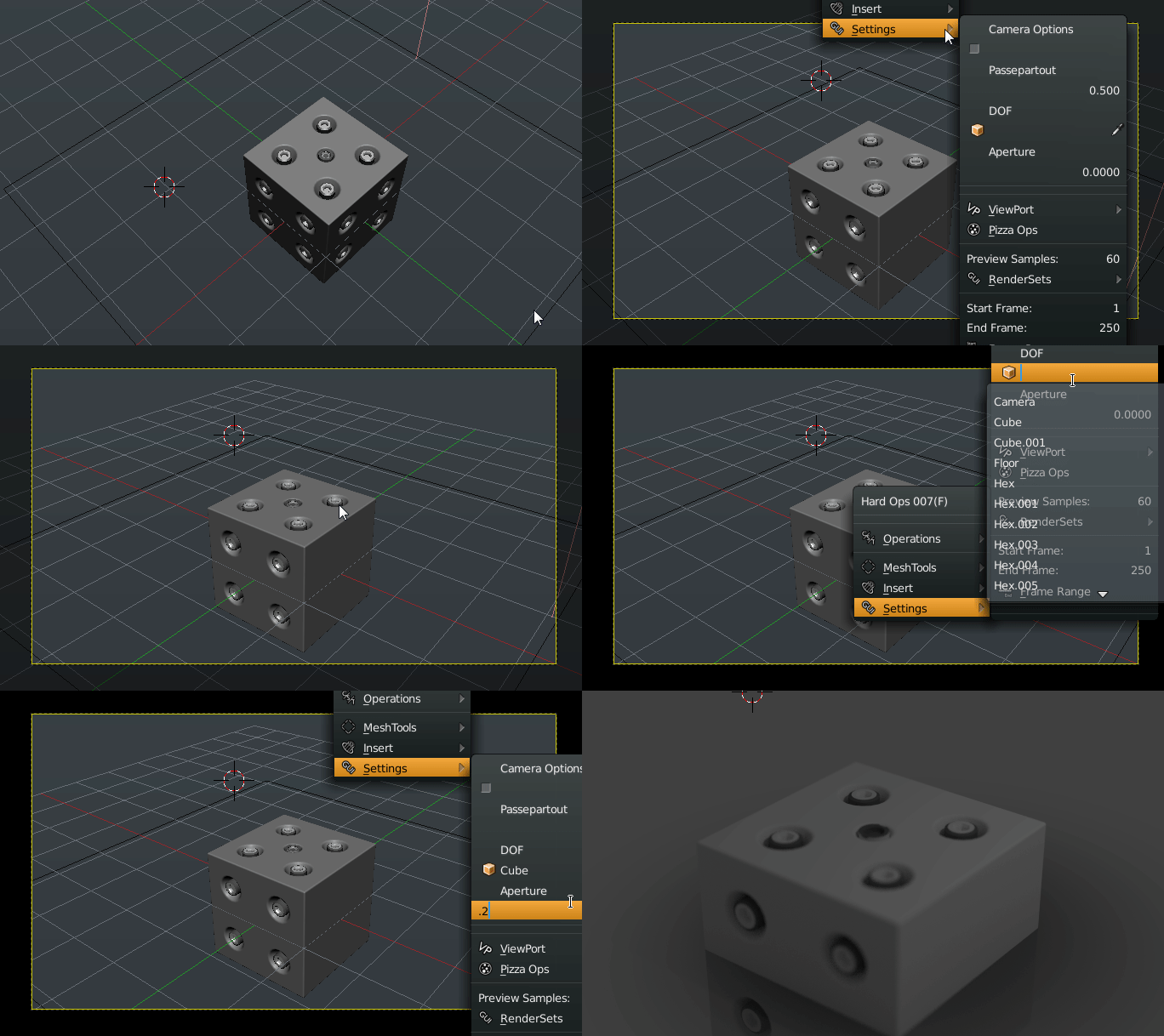
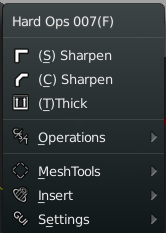
blender-app_2016-02-23_02-06-17blender-app_2016-02-23_01-59-39So the menus have remained the same on the main level for the most part however the options inside are where the real changes can be found.

Its important to remember in Hard Ops.

The first 3 options are the recommended options. You should use those however if not you also have operations where you can use options that aren’t in the top 3.

Meshtools, Inserts, and Settings are used less often so they are the bottom. Usually the first 3 do the recommended job in most cases so it also can be an indication of the mesh status. But that is a bit of work. How about we do you one better?

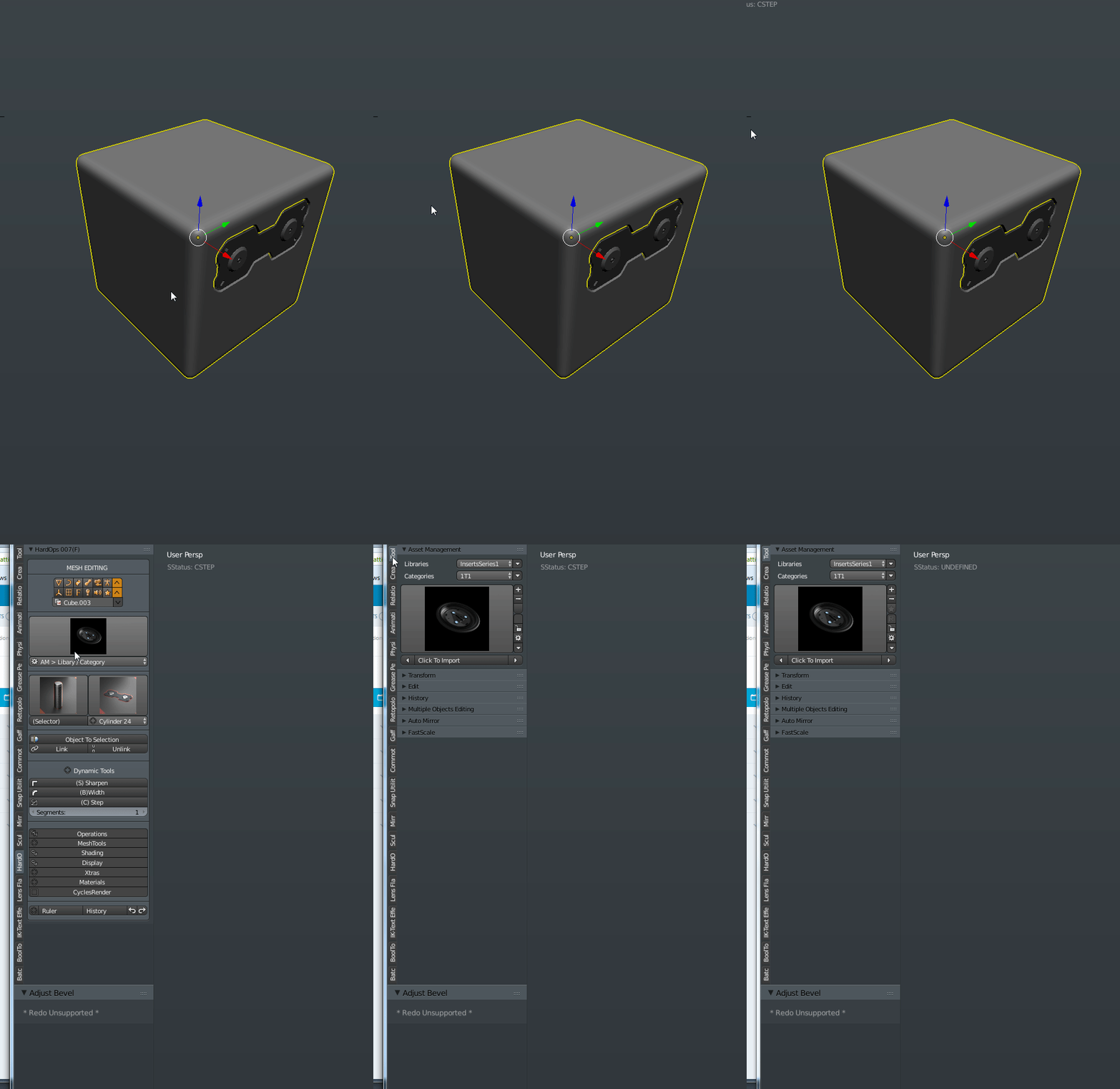
2016-02-23_02-10-51blender-app_2016-02-23_02-11-47Now the 3d view has an indicator in the corner for showing the status of the hard surface mesh.

In Hard Ops as far as the functions are concerned there are 3 mesh types.

-meshes that hard ops hasn’t touched intimately. Undefined meshes.

-meshes that have been Csharpened (thus beveled)

-meshes that have been Cstepped (bevels are baked but re-added)

Understanding these 3 mesh types will ensure your success with Hard Ops. One day the process will be made easier but it’s quite easier than it was in previous versions so progress is made with every release.

Also new to Hard Ops 007 is the on screen hud. This was added by the animation nodes master Jacques himself! https://www.youtube.com/channel/UC5ABAuGEvBMmau-1xJsNw6w There are quite a few superstars involved in this version and code wise its more solid than it has ever been. But of course expect bugs haha.

2016-02-23_02-18-38The hud was something I wanted for a while and based off of user feedback it seemed obvious visual feedback would make things so clear.

B-Width now has an onscreen indicator thanks to Jyri http://blenderartists.org/forum/showthread.php?390354-Blender-Astromonkey in fact his postings were the reason I felt everything needed on screen indicators. He has been an important part of Hard Ops as well and was a major factor in this release.

Q-Array was added as the result of Jyri and further perfected by Jacque who I gave the code name Python because he’s a fierce coder. AR added the ability to set up 2 arrays at once on it then we realized we were making features we’d never use.

T-Thick is now T-thick2 and has an on screen hud now as well. All the visual feedback is making my goals of fullscreen working closer to a reality.

This is just the beginning. The features list was beginning to get so long that it was hard to keep up with all the changes. So lets continue with the features!

It’s not uncommon that I request a feature that is met with “that can’t be done” or “python doesn’t go that way”. However the modifier helper is one such thing. This was first implemented by my good friend, product visualizer and fellow coder Claas Kuhn https://www.youtube.com/user/cekuhnen/videos

By pressing Ctrl + (`) you can bring it up in the 3d view and edit modifiers on the fly. It was further perfected by the Python to fix glitches and now it works perfectly.

2016-02-23_02-32-39The goal is to someday open blender and press alt + F11 for full screen mode and then alt + F10 for full screen 3dview. With this addition, the goal is even closer and I plan to expand on it even more to make the menu more useful. Many who are using the preview found this little Easter egg already by it is one of my favorite.

blender-app_2016-02-23_02-36-29


You may have also noticed the preferences section with recommended add-ons. I have always recommended particular add-ons for the utility and functions that they offer that expands on the original behaviors.

If you are missing an add on it will simply show you where to get it. No errors. However some options may be missing that are special experiments with functions for Hard Ops to play off of. I am a big fan of the Mira Tool for example so in edit mode there’s a quick option in the Q for using the curve stretch when present. However this is just an extension for convenience and experimentation so it’s all unsupported. If it works for you just have fun and enjoy the ride.

Auto-Mirror is another plug I am quite a large fan of. As a left handed artist. I made a small adjustment to make it accommodate. When present in Blender with Hard Ops additional options are unlocked.

2016-02-23_02-48-00
Symmetrize Upgrade

2016-02-23_02-41-42
Auto Mirror Menus


There is both a Mirror Helper popup window and an experimental option panel as well. Both of them function primarily the same however the open menu is a little quicker. It’s just something worth experimenting with as well. I enjoy the bisect and mirror behavior of the auto mirror so it’s utility in hard surface application was fairly self obvious. I do love the way it behaves.

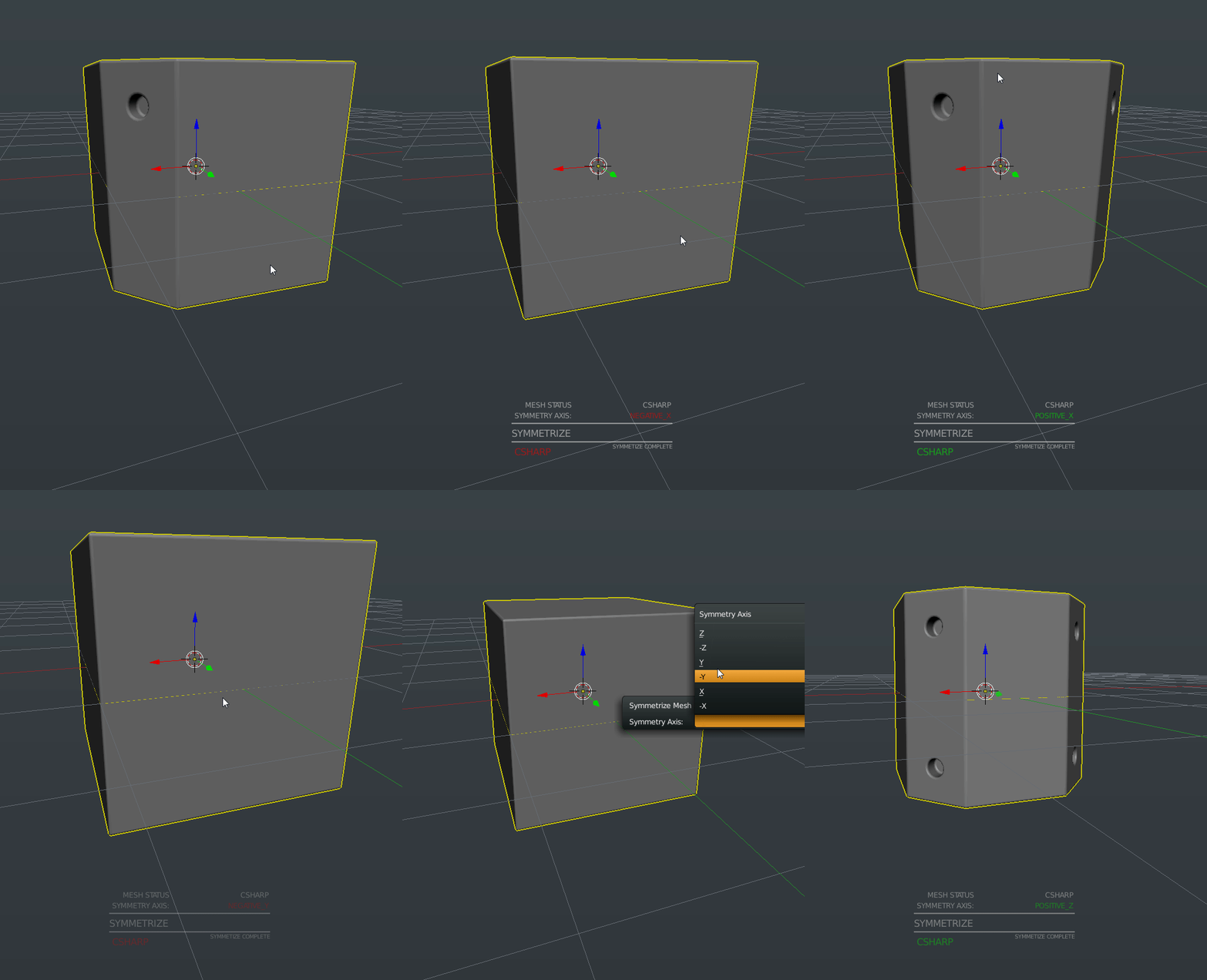
That doesn’t mean the regular symmetrize hasn’t been left out. It has been updated with an on screen display and is now interconnected and rewritten from scratch. It also supports Cstep and Cshapen behavior so it can symmetrize and setup the mesh for cstep without messing up the bevels that were previously baked. This was something that annoyed me personally so I was glad to see it fixed.

There have been many overall fixes to the behavior and the psychology that was brought about with the introduction of the status mesh system.

What I mean by this is….

2016-02-23_02-52-30
No

2016-02-23_02-56-20
Clear Sharps HUD


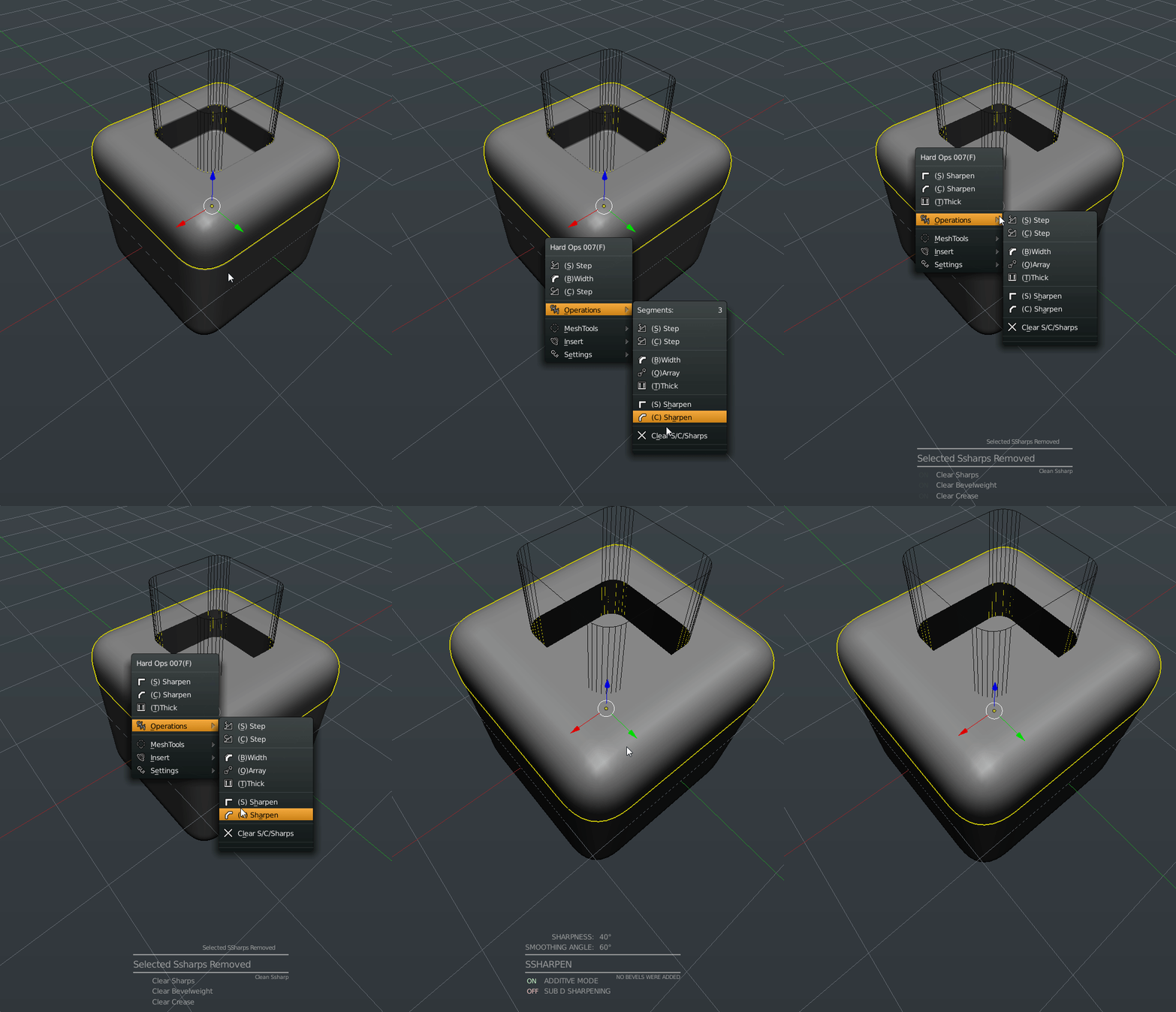
When working in Hard Ops I assume by now you understand sharpening and stepping. You sharpen the mesh to perfect and set up the surfaces but once it’s detailing time you cstep it. You don’t go back to csharpen and ssharpnen then. Because the default settings will bevel your bevels. Which will never look good and can cause artifacting.

So now if the mesh is in cstep you can no longer use the sharpeners which is much better for the geometry and the psychology of the user. This update was added as the result of me watching one particular user. Who will remain nameless.

If you wanted to really reset the mesh to use the sharpeners you could always clear ssharps under operations. Which resets the mesh status.

In fact. Clear Ssharps has a hud now too. Everyone gets a hud this release. Sometimes I look over the plugin and ask. Who else needs a hud?

The addition of subsets was in the 0065 release.

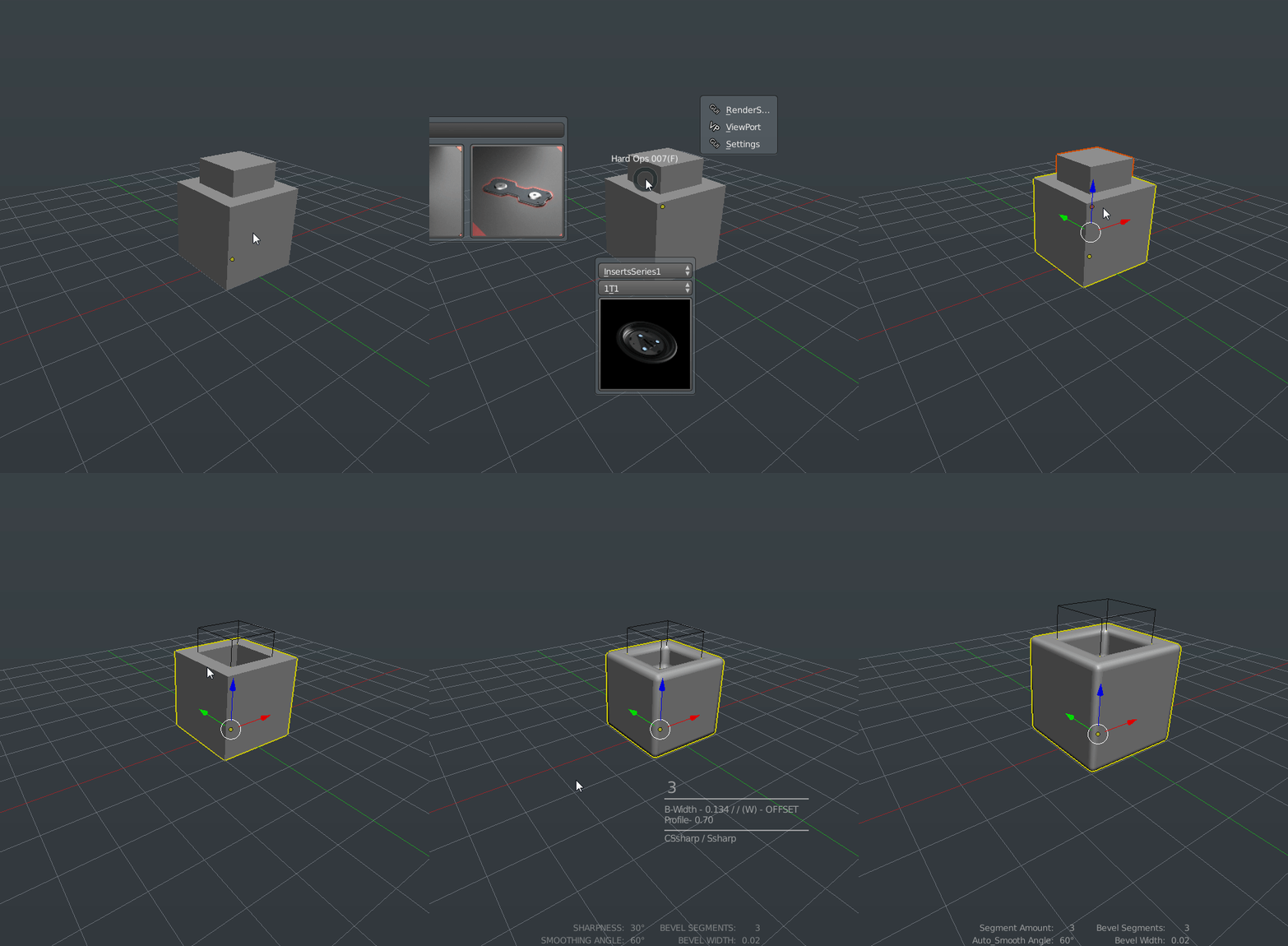
These inserts are different than the regular inserts in both behavior and usage. Subsets are basically inserts that are built to be inserted within a surface and then csharpened or sstepped to integrate it into the surface. Personally I like to use cstep for this since it allows for individual bevel configuration in between bakes. However this is a finalization workflow. There is no going back. At least without a little pain.

blender-app_2016-02-23_03-03-33
Anatomy Of Subset


2016-02-23_03-10-01
Merge In Action


Subsets are made up out of 3 meshes. Subsets also insert always to the 0,0,0 of the scene and not on faces and at the 3d cursor like regular inserts.

AP which is what you use to set it on the surface and the merge. It is an X-ray mesh.

BB which is the mesh that is being cut out to make room for the…

OB which is the mesh that is being inserted into the surface.

This is a system I have been working on so I can expand its usage even further. However in its current state when you insert a subset. It selects the AP automatically so you have to do nothing.

Except hold ctrl and snap it to the surface. After pressing G to grab.

Then shift select the underlying surface and choose merge to finish the job.

The subsets are not built to be customized but are just me experimenting with different mesh systems so for those who long to add their own assets…

https://gumroad.com/l/kANV/#

firefox_2016-02-23_03-17-10

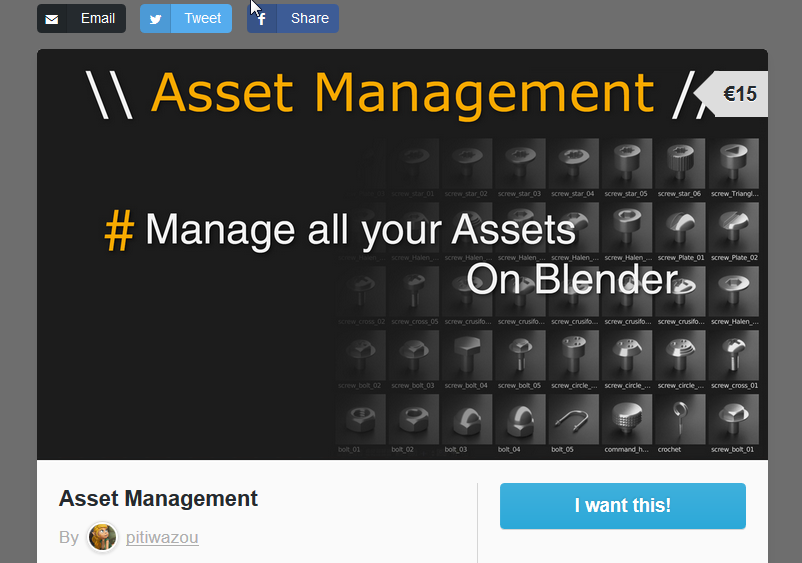
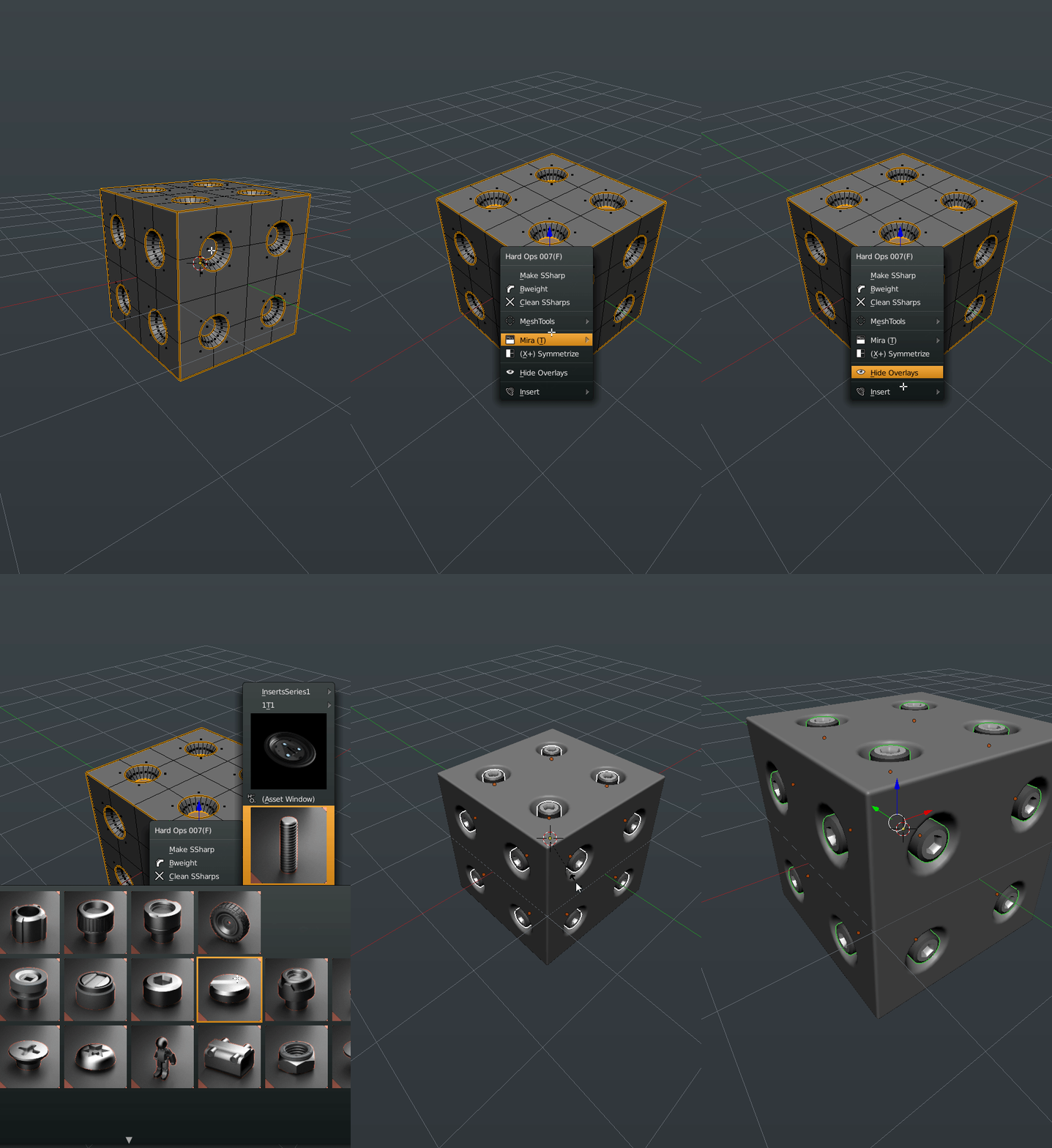
Wazou has played a major role in the initial insert system implementation however the idea of user added inserts have been taken to another level with Asset Manager or AM for short.

Users of AM will be pleasanly surprised to see that Hard Ops utilizes the AM plugin in its menus when present. You also have an option to turn if off if you wish to keep them separate. The support of AM was an important thing to me personally and even if it’s not present you still have inserts to play with. Consider our insert system a demo of what AM is capable of.

AM would be it’s own post and they already have documentations so check it out.

2016-02-23_03-19-34
Full AM Support

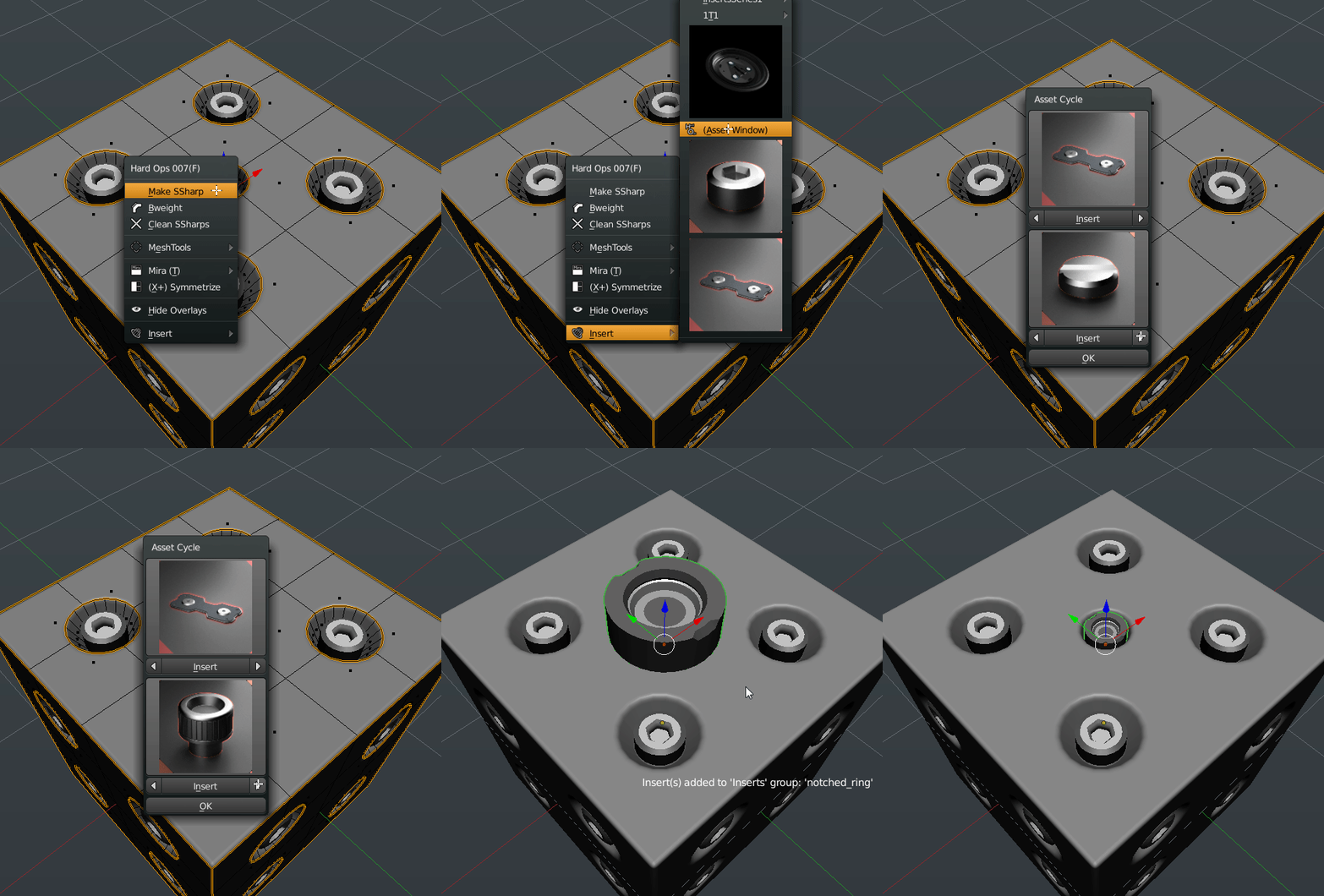
While we’re still discussing inserts. The classic insert system has been upgraded immensely and is using an entirely different system. When you insert meshes to faces they are already sharpened and have material groups for quick mat layouts. They also insert in a modal scale mode so you can perfect the size before applying.

The internal process of inserts was rethought and re-coded with an entirely different approach than before. Thanks to the python the inserts are more stable and better than ever. Not to mention the on screen messages and the auto grouping upon insert.

2016-02-23_03-25-25
Revamped Inserts


The insert system of Hard Ops is quite different than previous versions and also has a tear away version so you can have it on the screen for a moment. And thats not all!

There’s now an asset scroller for cycling through them without the big window. Just in case you’d like to try it.

2016-02-23_03-28-18
Asset Scroller


“The Python” implemented quite a few features this release and also rewrote many of the sharpeners to increase their stability and to get them to interconnect. So Csharpen calls on Ssharpen while Csharpening.

Rebool also has support for Cstep/Sstep mode where it will keep the mesh status.

Theres many small glitches that have been fixed for example the menu not showing when nothing was selected. Or the menu not showing when there were no objects. “The Python” fixed that.

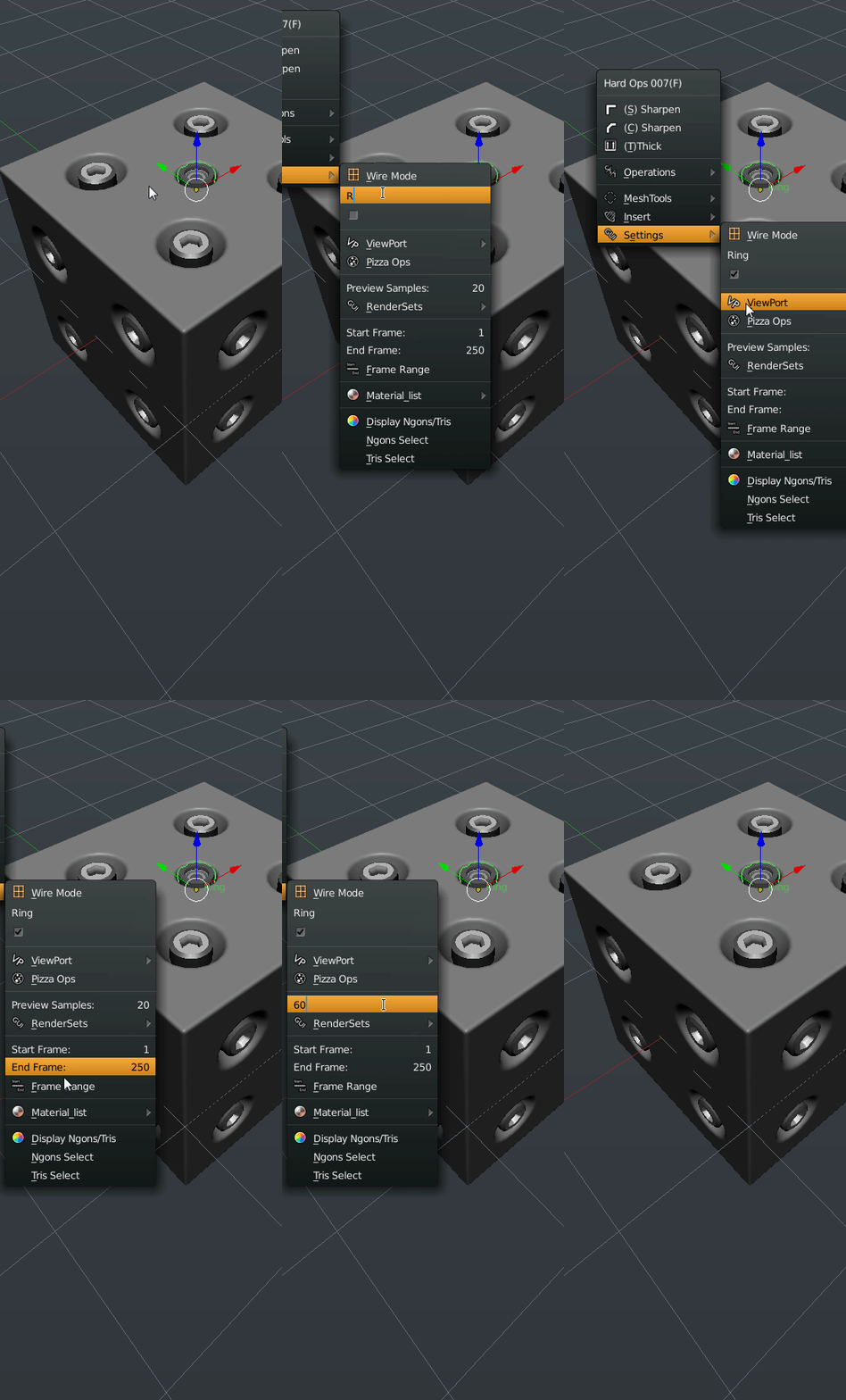
The settings area has also had some additional parameters added for convenience. For example there is an option to rename an object. Or make the name display in 3d view.

2016-02-23_03-32-52
Settings Upgrade

These were more options that were an inconvenience to locate manually. However if you think that’s it, we’re only getting started.


In addition to renderSet improvements I also added a parameter for the cycles samples for times when I just want to boost it a little. If you select a camera the options are a little different. This was also something that I felt needed to be done since sometimes the N panel can be a visual mess to sort and find things in.

Under Operations there is a panel you can use to set the bevel segments on an object to something else. It has been surpassed in usage by B-Width but is still available.

Some of these options may seem excessive however they are just ideas to see how well they work. I might do a poll on how some of the features are working and see about removing some but that’s for later. I like the usage at this time.

The goal is to have some smart context menus that come up with Q for particular options with parameters that are useful to the users.


2016-02-23_03-38-13
Camera Q Options


The next topic is sure to cause some disputes.

The Pie Menus have been upgraded. As have the Menus. As have the Panels. In fact completely rewritten.

Since version 006 the pies have fallen into disrepair and behind on the latest tool enhancements. So we took the opportunity to rewrite their logic and make them behave like the menus themselves.

The menus are 3 options / Operations / More Options

So that same thought process was taken to the pie menus.

While the arrangement may seem odd this is AR’s take on it for the 007 version. It contains the same psychology of the menu with the arrangement being optimal for preventing the 3 main options from being the spotlight. There are also boolean options when multiple meshes are selected thus reducing the need for the 2nd pie menu. Also inserts show when nothing is selected.

2016-02-23_03-49-02
Pie Menus In Action


The pie menus had been ignored for a bit previous to this so it’s good to have them usable again. There’s even more feature and glitches to go over however this should suffice for an introduction to Hard Ops 007.

I hope everyone has been enjoying it as much as I have and I thank everyone for their support. Without the immense team you see in the credits and author list this plugin would never be what it is now. I hope that the future holds many more enhancements and improvements.

DeuxOctane12comp

Also demos galore!

https://www.youtube.com/watch?v=mo0fX2ibNcQ

So cubes are how I have come used to testing Hard Ops quickly. Over the course of this adventure I am proud to see these cubes looking more and more serious. I implore everyone to try on one before diving in just to make sure the tools are working as predicted. Its a hoot.

Free Stuff worth checking out

I wanted to make a post just linking some of the artists who are giving away fantastic things worth checking out.

Free Kitbash Set
https://gumroad.com/adrianrutkowski#

Painting
https://gumroad.com/grazeart#
https://gumroad.com/marceldomke#
https://gumroad.com/maciejkuciara#

HDRI Enviros
https://gumroad.com/mroz#

Labels And Stickers
https://gumroad.com/kharactar#

How To Texture
https://gumroad.com/tvidotto#

Reference Images
https://gumroad.com/prorefs#

Other Freebies
https://gumroad.com/tonikoro#

I’m sure there’s many many more missing here I could be listing but those were the ones I liked and was most grateful for. Feel free to make a donation and support them. They are all free so there’s no reason to not download them all!

edit: i forgot to add myself! I got some freebies too!

https://gumroad.com/masterxeon1001

EDIT: Moar freebies!

https://gumroad.com/claudiosetti#

https://gumroad.com/l/3d-female-posed-free#

https://gumroad.com/l/josieHead#

https://gumroad.com/l/cnupb

https://gumroad.com/jeffreyianwilson#


Secret Update #2

So before going to bed I wanted to sneak a small update of an upcoming Gumroad course I’ve been working on. The parts are coming together even though the more I look the more I wish I could change. The final version has to look killer but I am sure the next updates will be even more impressive.

HiraethWIP3

I would say hes about 50% done just in the chest. But the renders were looking very nice even at this intermittent phase. That’s cycles for you. I hope to have more updates soon and thank you all for your continuous support!

I also am giving sneak chapters out on my Patreon page. So subscribing also gets you insider access and $10+ subscribers get the gumroad courses plus exclusive content like brushes and all sorts of ill shiznit. So join up!
http://www.patreon.com/masterxeon1001

cropped-patreonspread1.jpg

Also to leave for the night allow me to show you another fine render of Deux.
master xeon render_00000

Configured by Nick of the legendary 10. It touches my heart to see this guy coming to life and looking so awesome. Enough about play time to get back to work.

Nick also did the last ill comp of this guy. Just can’t get enough of him!
DeuxLogo

For those who don’t know of him his timelapse is here.

For coming allow me to drop one more brush for the night.
https://www.patreon.com/creation?hid=2685075&alert=1
BrushPromoHoseFreeEdition#3

Also this song… *tear* Tazz is a soul who translates well into his music which flows through my character’s veins. The servant… has a mother#(@*ing song! omg!

Also that E3 amirite?

Just seeing that video pushed my art another level. Seeing what they can do just shows me I gotta work harder! We have the same tools… right?

And maybe leave the night on a laugh.

EDIT: one more sneak peek.
https://youtu.be/a-KldgdmYJM