
Hard Ops 007 Intro Guide


2016-02-23_09-31-55Gumroad customers… the file is in the gumroad. At the top. The latest files are always at the top.

If you have issues enabling it. Reboot your PC.

current install location:C:\Users\<USER>\AppData\Roaming\Blender Foundation\Blender\2.76\scripts\addons\

I tend to install by copying it to the folder. Not using the install from file in Blender. But whatever works I suppose.


________________________________________________________________ 

Hard Ops has experienced many changes underneath while attempting to retain the same philosophies that have been used over the course of it’s development.

The menus have been revamped with many new options and new icons thanks to Adam Krol or AK.

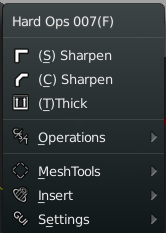
blender-app_2016-02-23_02-06-17blender-app_2016-02-23_01-59-39So the menus have remained the same on the main level for the most part however the options inside are where the real changes can be found.

Its important to remember in Hard Ops.

The first 3 options are the recommended options. You should use those however if not you also have operations where you can use options that aren’t in the top 3.

Meshtools, Inserts, and Settings are used less often so they are the bottom. Usually the first 3 do the recommended job in most cases so it also can be an indication of the mesh status. But that is a bit of work. How about we do you one better?

2016-02-23_02-10-51blender-app_2016-02-23_02-11-47Now the 3d view has an indicator in the corner for showing the status of the hard surface mesh.

In Hard Ops as far as the functions are concerned there are 3 mesh types.

-meshes that hard ops hasn’t touched intimately. Undefined meshes.

-meshes that have been Csharpened (thus beveled)

-meshes that have been Cstepped (bevels are baked but re-added)

Understanding these 3 mesh types will ensure your success with Hard Ops. One day the process will be made easier but it’s quite easier than it was in previous versions so progress is made with every release.

Also new to Hard Ops 007 is the on screen hud. This was added by the animation nodes master Jacques himself! https://www.youtube.com/channel/UC5ABAuGEvBMmau-1xJsNw6w There are quite a few superstars involved in this version and code wise its more solid than it has ever been. But of course expect bugs haha.

2016-02-23_02-18-38The hud was something I wanted for a while and based off of user feedback it seemed obvious visual feedback would make things so clear.

B-Width now has an onscreen indicator thanks to Jyri http://blenderartists.org/forum/showthread.php?390354-Blender-Astromonkey in fact his postings were the reason I felt everything needed on screen indicators. He has been an important part of Hard Ops as well and was a major factor in this release.

Q-Array was added as the result of Jyri and further perfected by Jacque who I gave the code name Python because he’s a fierce coder. AR added the ability to set up 2 arrays at once on it then we realized we were making features we’d never use.

T-Thick is now T-thick2 and has an on screen hud now as well. All the visual feedback is making my goals of fullscreen working closer to a reality.

This is just the beginning. The features list was beginning to get so long that it was hard to keep up with all the changes. So lets continue with the features!

It’s not uncommon that I request a feature that is met with “that can’t be done” or “python doesn’t go that way”. However the modifier helper is one such thing. This was first implemented by my good friend, product visualizer and fellow coder Claas Kuhn https://www.youtube.com/user/cekuhnen/videos

By pressing Ctrl + (`) you can bring it up in the 3d view and edit modifiers on the fly. It was further perfected by the Python to fix glitches and now it works perfectly.

2016-02-23_02-32-39The goal is to someday open blender and press alt + F11 for full screen mode and then alt + F10 for full screen 3dview. With this addition, the goal is even closer and I plan to expand on it even more to make the menu more useful. Many who are using the preview found this little Easter egg already by it is one of my favorite.

blender-app_2016-02-23_02-36-29


You may have also noticed the preferences section with recommended add-ons. I have always recommended particular add-ons for the utility and functions that they offer that expands on the original behaviors.

If you are missing an add on it will simply show you where to get it. No errors. However some options may be missing that are special experiments with functions for Hard Ops to play off of. I am a big fan of the Mira Tool for example so in edit mode there’s a quick option in the Q for using the curve stretch when present. However this is just an extension for convenience and experimentation so it’s all unsupported. If it works for you just have fun and enjoy the ride.

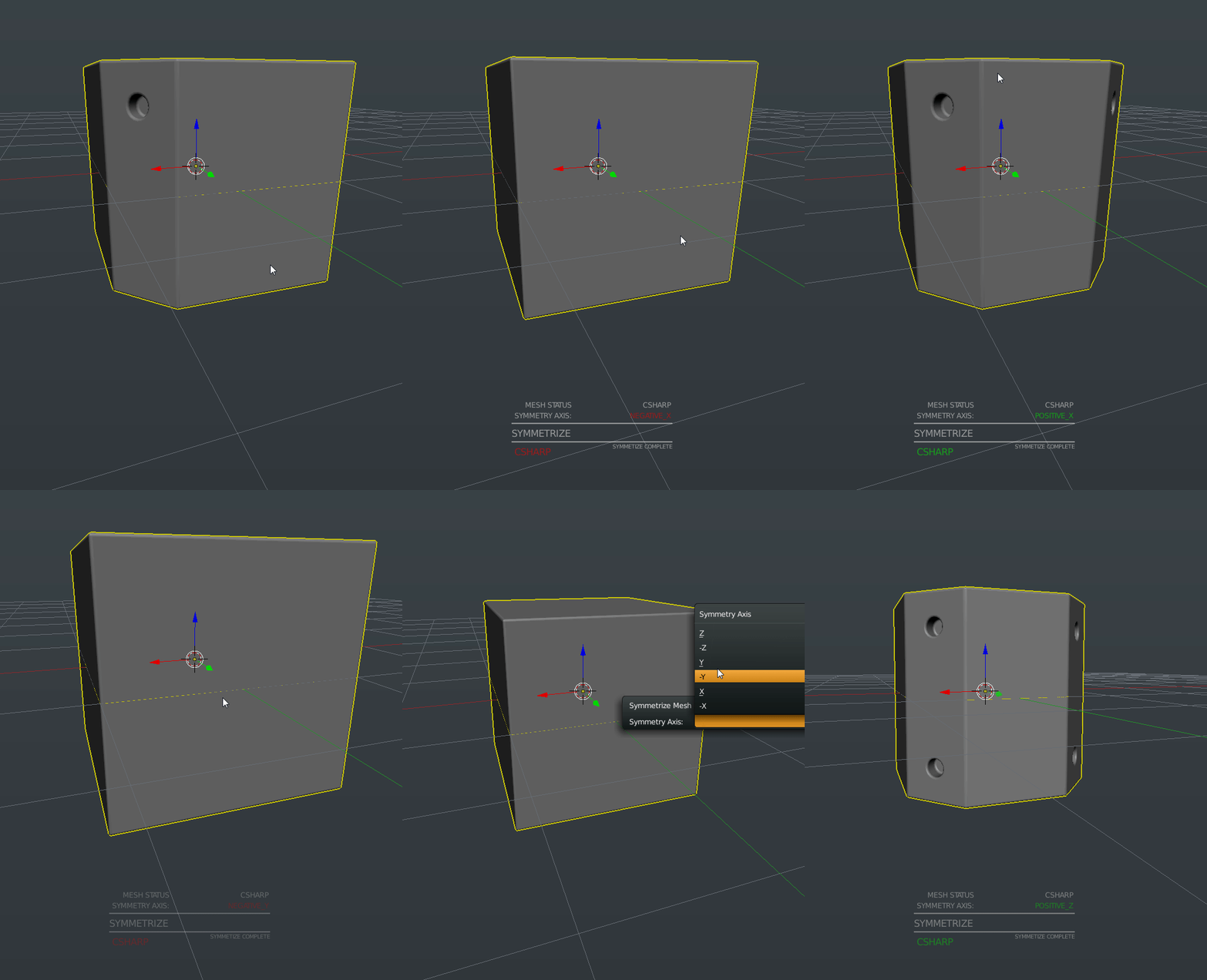
Auto-Mirror is another plug I am quite a large fan of. As a left handed artist. I made a small adjustment to make it accommodate. When present in Blender with Hard Ops additional options are unlocked.
2016-02-23_02-48-00
Symmetrize Upgrade
2016-02-23_02-41-42
Auto Mirror Menus


There is both a Mirror Helper popup window and an experimental option panel as well. Both of them function primarily the same however the open menu is a little quicker. It’s just something worth experimenting with as well. I enjoy the bisect and mirror behavior of the auto mirror so it’s utility in hard surface application was fairly self obvious. I do love the way it behaves.

That doesn’t mean the regular symmetrize hasn’t been left out. It has been updated with an on screen display and is now interconnected and rewritten from scratch. It also supports Cstep and Cshapen behavior so it can symmetrize and setup the mesh for cstep without messing up the bevels that were previously baked. This was something that annoyed me personally so I was glad to see it fixed.

There have been many overall fixes to the behavior and the psychology that was brought about with the introduction of the status mesh system.

What I mean by this is….
2016-02-23_02-52-30
No
2016-02-23_02-56-20
Clear Sharps HUD


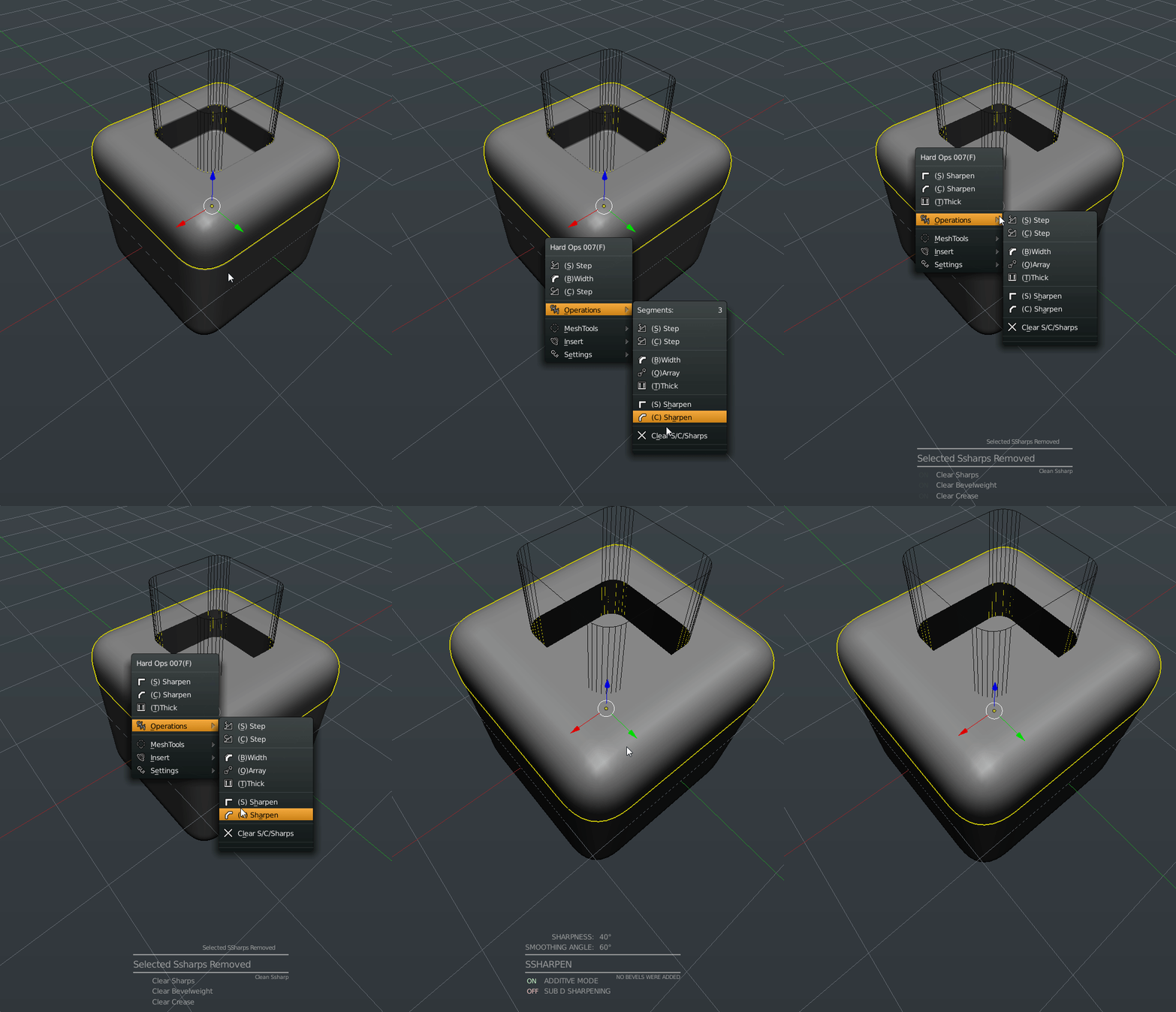
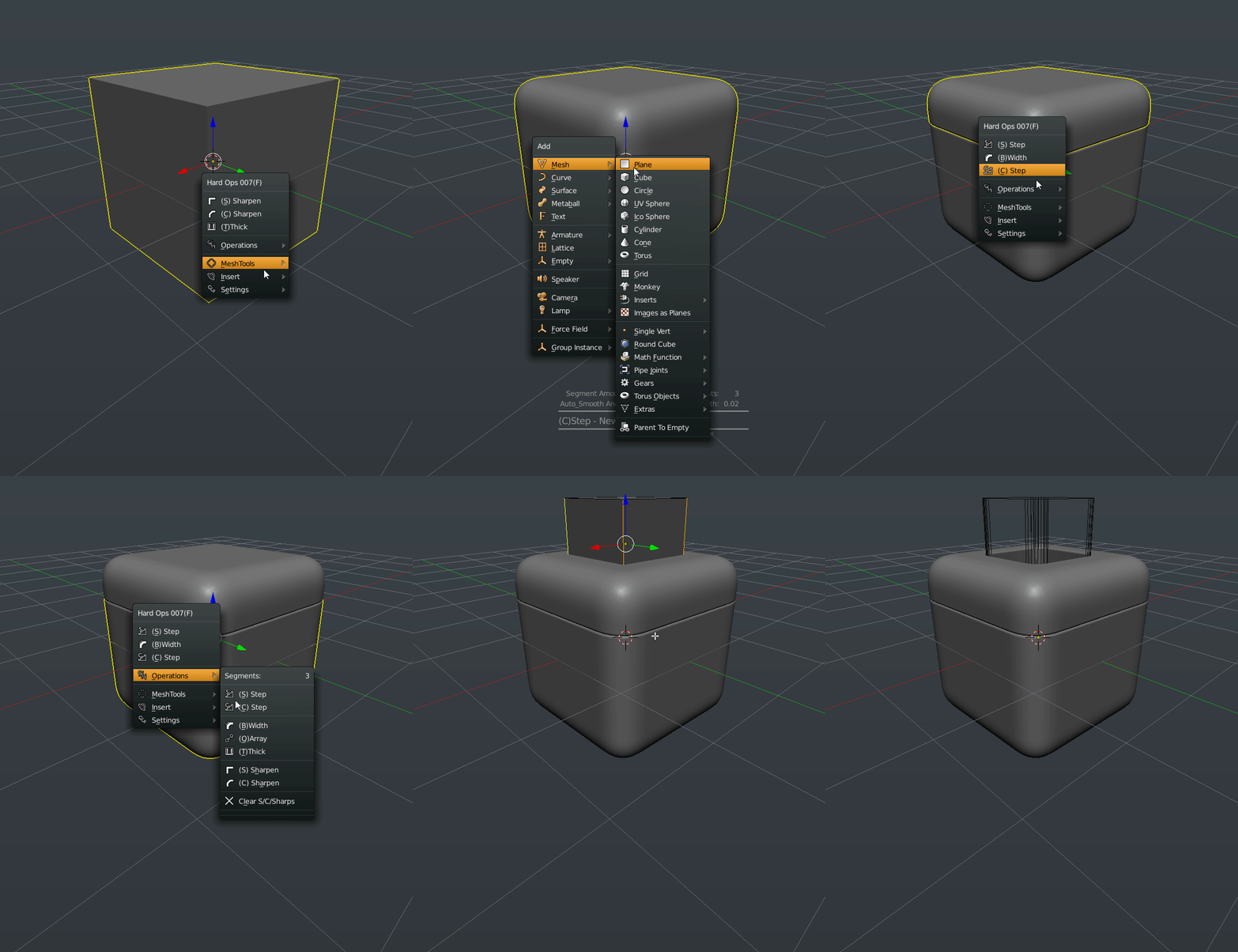
When working in Hard Ops I assume by now you understand sharpening and stepping. You sharpen the mesh to perfect and set up the surfaces but once it’s detailing time you cstep it. You don’t go back to csharpen and ssharpnen then. Because the default settings will bevel your bevels. Which will never look good and can cause artifacting.

So now if the mesh is in cstep you can no longer use the sharpeners which is much better for the geometry and the psychology of the user. This update was added as the result of me watching one particular user. Who will remain nameless.

If you wanted to really reset the mesh to use the sharpeners you could always clear ssharps under operations. Which resets the mesh status.

In fact. Clear Ssharps has a hud now too. Everyone gets a hud this release. Sometimes I look over the plugin and ask. Who else needs a hud?

The addition of subsets was in the 0065 release.

These inserts are different than the regular inserts in both behavior and usage. Subsets are basically inserts that are built to be inserted within a surface and then csharpened or sstepped to integrate it into the surface. Personally I like to use cstep for this since it allows for individual bevel configuration in between bakes. However this is a finalization workflow. There is no going back. At least without a little pain.

blender-app_2016-02-23_03-03-33
Anatomy Of Subset


2016-02-23_03-10-01
Merge In Action


Subsets are made up out of 3 meshes. Subsets also insert always to the 0,0,0 of the scene and not on faces and at the 3d cursor like regular inserts.

AP which is what you use to set it on the surface and the merge. It is an X-ray mesh.

BB which is the mesh that is being cut out to make room for the…

OB which is the mesh that is being inserted into the surface.

This is a system I have been working on so I can expand its usage even further. However in its current state when you insert a subset. It selects the AP automatically so you have to do nothing.

Except hold ctrl and snap it to the surface. After pressing G to grab.

Then shift select the underlying surface and choose merge to finish the job.

The subsets are not built to be customized but are just me experimenting with different mesh systems so for those who long to add their own assets…

https://gumroad.com/l/kANV/#

firefox_2016-02-23_03-17-10

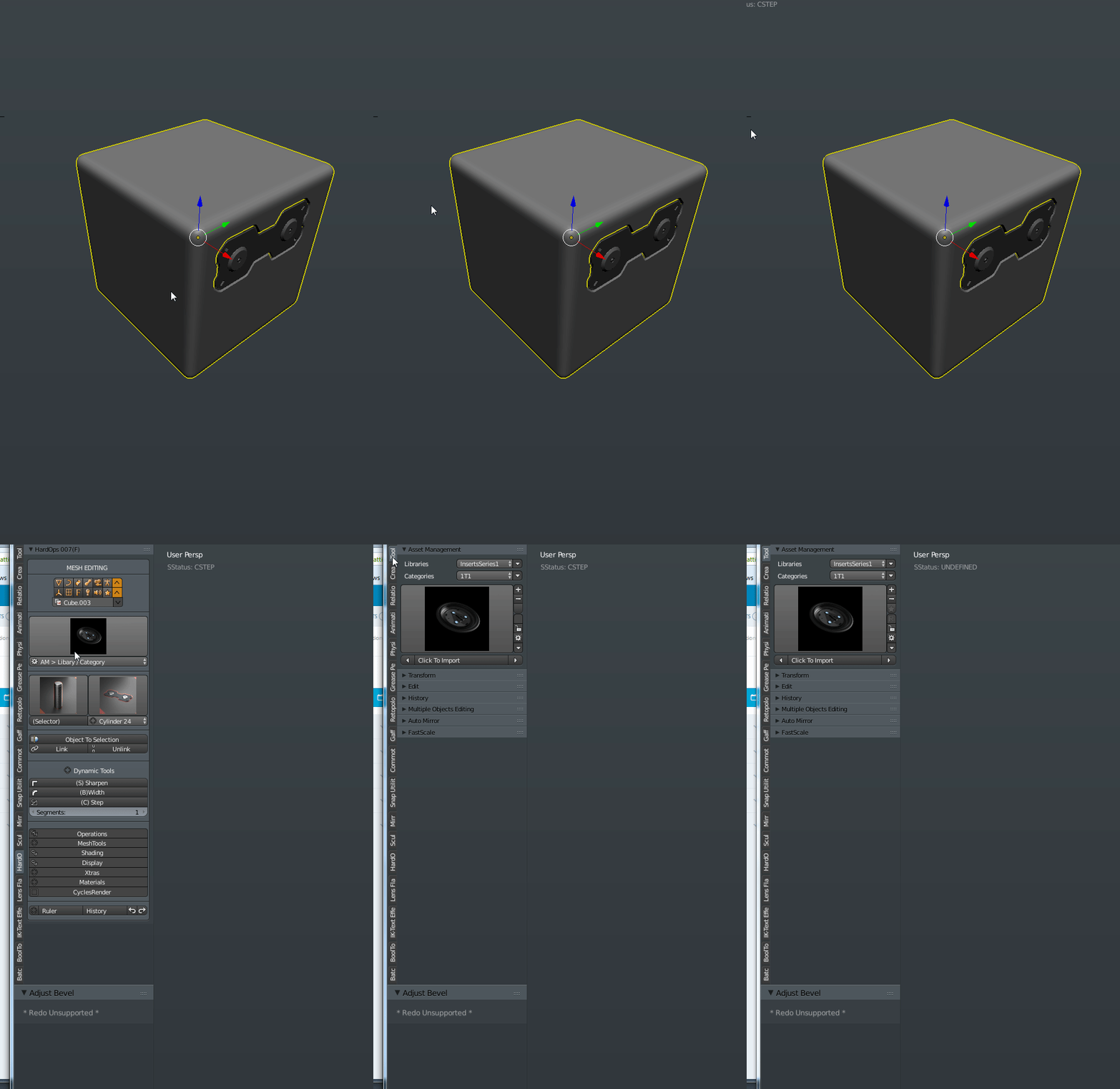
Wazou has played a major role in the initial insert system implementation however the idea of user added inserts have been taken to another level with Asset Manager or AM for short.

Users of AM will be pleasanly surprised to see that Hard Ops utilizes the AM plugin in its menus when present. You also have an option to turn if off if you wish to keep them separate. The support of AM was an important thing to me personally and even if it’s not present you still have inserts to play with. Consider our insert system a demo of what AM is capable of.

AM would be it’s own post and they already have documentations so check it out.
2016-02-23_03-19-34
Full AM Support

While we’re still discussing inserts. The classic insert system has been upgraded immensely and is using an entirely different system. When you insert meshes to faces they are already sharpened and have material groups for quick mat layouts. They also insert in a modal scale mode so you can perfect the size before applying.

The internal process of inserts was rethought and re-coded with an entirely different approach than before. Thanks to the python the inserts are more stable and better than ever. Not to mention the on screen messages and the auto grouping upon insert.
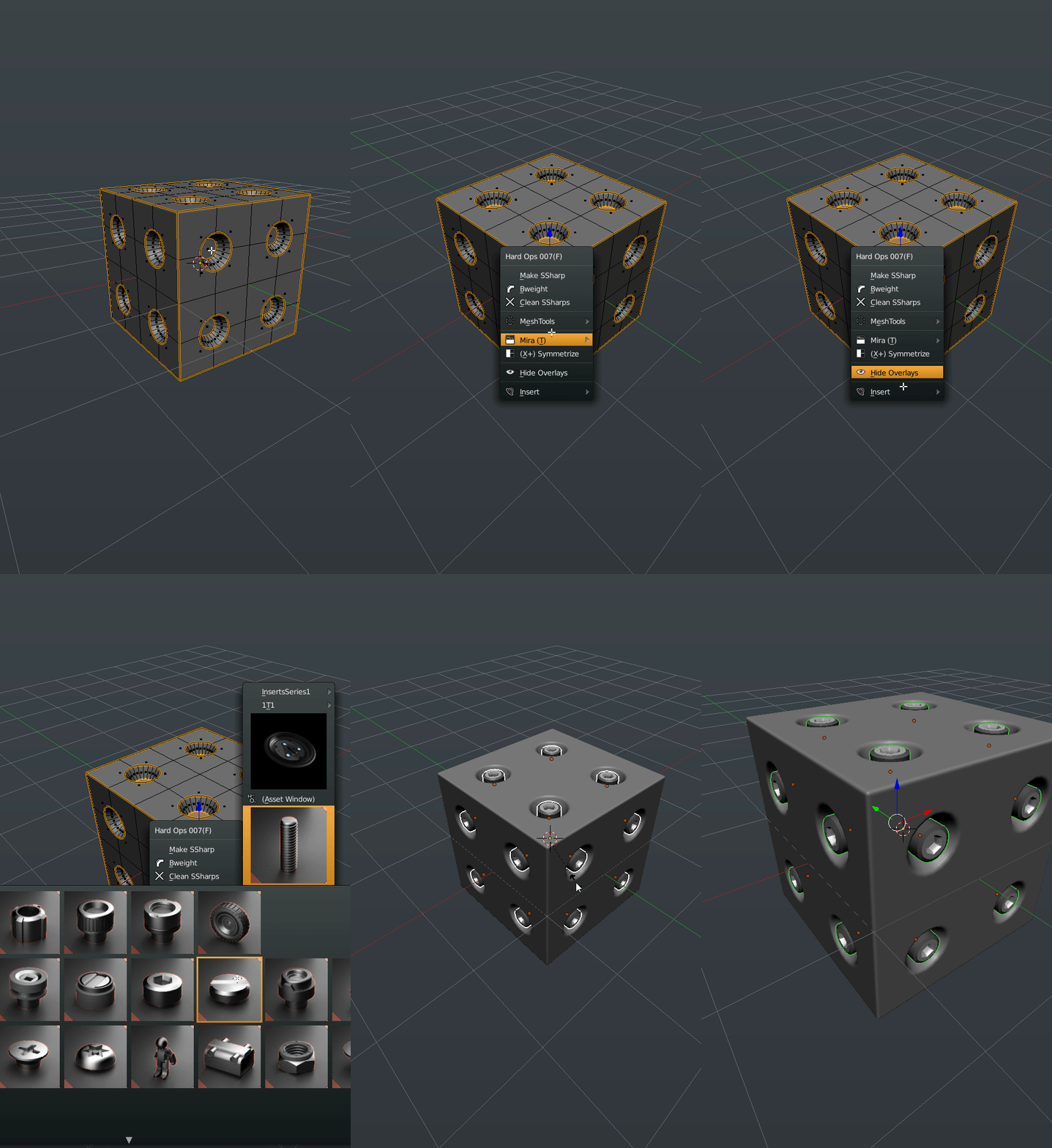
2016-02-23_03-25-25
Revamped Inserts


The insert system of Hard Ops is quite different than previous versions and also has a tear away version so you can have it on the screen for a moment. And thats not all!

There’s now an asset scroller for cycling through them without the big window. Just in case you’d like to try it.

2016-02-23_03-28-18
Asset Scroller


“The Python” implemented quite a few features this release and also rewrote many of the sharpeners to increase their stability and to get them to interconnect. So Csharpen calls on Ssharpen while Csharpening.

Rebool also has support for Cstep/Sstep mode where it will keep the mesh status.

Theres many small glitches that have been fixed for example the menu not showing when nothing was selected. Or the menu not showing when there were no objects. “The Python” fixed that.

The settings area has also had some additional parameters added for convenience. For example there is an option to rename an object. Or make the name display in 3d view.

2016-02-23_03-32-52
Settings Upgrade

These were more options that were an inconvenience to locate manually. However if you think that’s it, we’re only getting started.


In addition to renderSet improvements I also added a parameter for the cycles samples for times when I just want to boost it a little. If you select a camera the options are a little different. This was also something that I felt needed to be done since sometimes the N panel can be a visual mess to sort and find things in.

Under Operations there is a panel you can use to set the bevel segments on an object to something else. It has been surpassed in usage by B-Width but is still available.

Some of these options may seem excessive however they are just ideas to see how well they work. I might do a poll on how some of the features are working and see about removing some but that’s for later. I like the usage at this time.

The goal is to have some smart context menus that come up with Q for particular options with parameters that are useful to the users.


2016-02-23_03-38-13
Camera Q Options


The next topic is sure to cause some disputes.

The Pie Menus have been upgraded. As have the Menus. As have the Panels. In fact completely rewritten.

Since version 006 the pies have fallen into disrepair and behind on the latest tool enhancements. So we took the opportunity to rewrite their logic and make them behave like the menus themselves.

The menus are 3 options / Operations / More Options

So that same thought process was taken to the pie menus.

While the arrangement may seem odd this is AR’s take on it for the 007 version. It contains the same psychology of the menu with the arrangement being optimal for preventing the 3 main options from being the spotlight. There are also boolean options when multiple meshes are selected thus reducing the need for the 2nd pie menu. Also inserts show when nothing is selected.

2016-02-23_03-49-02
Pie Menus In Action


The pie menus had been ignored for a bit previous to this so it’s good to have them usable again. There’s even more feature and glitches to go over however this should suffice for an introduction to Hard Ops 007.

I hope everyone has been enjoying it as much as I have and I thank everyone for their support. Without the immense team you see in the credits and author list this plugin would never be what it is now. I hope that the future holds many more enhancements and improvements.

DeuxOctane12comp

Also demos galore!

So cubes are how I have come used to testing Hard Ops quickly. Over the course of this adventure I am proud to see these cubes looking more and more serious. I implore everyone to try on one before diving in just to make sure the tools are working as predicted. Its a hoot.

Blender: Boolean / Bevel Tip #1

Did you know you can use the knife to guide your booleans to get them to solve better for better behavior with bevelling?

2015-12-02_20-26-15

In this example I used the bool tool to cut into a cube and just used the default solution to just proceed. As you can see the corner edges provide poor guidance for the bevel that was used afterward. The narrow triangles that converge on a single point will guide the bevel in that direction causing issues. This is something best realized by experimentation but it can definitely cause some issues.

Now for my solution. Guidance edges.

2015-12-02_20-21-28

On this 2nd example you can see me go in edit mode and use the knife with (K) and also (Z) to cut through and (C) to constrain and cut a line through before applying. The result was a support edge that isnt connected to the poles that are in the corners. Allowing me to get more versatility with the bevel modifier and the subsequent bevels.

So what happened here? Well the boolean has to solve and place connecting edges somewhere and the place it puts them isn’t always the best. In fact lacking these sorts of adjustments will make subsequent bevels more difficult due to trouble exponentially increasing with each poor solve. I feel this is part of why people don’t care for booleans and bevels but there is a system that gives control back to the user.

This is a behavior I take advantage of frequently to basically boolean to my advantage and get away with doing less cleanup.

I hope this tip helps and happy blending!

untitled.23

Hard Ops has been released on Gumroad and is going beta very soon! Be sure to get it while the price is low! Guaranteed awesomeness and definitely worth the cost.


https://gumroad.com/l/hardops/

Hard Times And Even Harder Surfaces – Chapter 6 Demo / Timelapse

Chapter6Title1

Double Post Day!

In this chapter I want to go over something that I was taught recently by a craftier modeller than myself. And that man is Adrian Rutkowski.

Vitalii “Fructdw” Vlasov recently pointed me at his gumroad collection of assorted kitbashing elements and after checking them out I was blown away. For that I thank them both for this knowledge keeps my gears moving and knowing that there is always a better way.

Free Kitbash Set

https://gumroad.com/adrianrutkowski

The alternate ways that artists manage to make the tools work for them versus my ways and habits is always a welcome thing to see. Concept artists in particular are what I call “dangerous”. They enter 3d with a multitude of skills and an artistic eye that can’t be beat with pure 3d studying (or at least for me). I see so many concept guys open the door walk in and immediately begin killing it. I must admit I was nervous when I first saw how finely crafted and modelled each piece was. My first thoughts was that cad software was used and that these parts were not possible to make with precision and care to the edges and normals in Blender.

Now before we continue I also want to add. Forget topology for a moment. I know you’re gonna say, “What about UVs?” “What about deformation?” “What about sub-d?”. Lets leave all that alone for a moment and focus on just the shape and the form. In the end that’s what viewers see. Only us 3d folk see the topology and mapping. So if you want to clean up non subdivision parts be my guest but a concepter would craftily figure out a way to make it through the project without the nuances of technical holdup.

This is a timelapse demonstrating the techniques discussed in Chapter 6 of “Hard Times and Even Harder Surfaces” which is a patreon exclusive during development. Subscribe for this chapter and upcoming ones over at Patreon!

http://www.patreon.com/masterxeon1001

Also I wrote a blog post about freebies in the community worth picking up.

https://masterxeon1001.wordpress.com/2015/09/03/free-stuff-worth-checking-out/

All of them have freebies so go check it out!

Even I do! So pick up Blending Away The Pain if you haven’t already!
https://gumroad.com/masterxeon1001

Also I have been working on making finer and finer hard surface assets and if you get the asset collection you can check them out!

https://gumroad.com/l/assetcol

Image2

]

Free Stuff worth checking out

I wanted to make a post just linking some of the artists who are giving away fantastic things worth checking out.

Free Kitbash Set
https://gumroad.com/adrianrutkowski#

Painting
https://gumroad.com/grazeart#
https://gumroad.com/marceldomke#
https://gumroad.com/maciejkuciara#

HDRI Enviros
https://gumroad.com/mroz#

Labels And Stickers
https://gumroad.com/kharactar#

How To Texture
https://gumroad.com/tvidotto#

Reference Images
https://gumroad.com/prorefs#

Other Freebies
https://gumroad.com/tonikoro#

I’m sure there’s many many more missing here I could be listing but those were the ones I liked and was most grateful for. Feel free to make a donation and support them. They are all free so there’s no reason to not download them all!

edit: i forgot to add myself! I got some freebies too!

https://gumroad.com/masterxeon1001

EDIT: Moar freebies!

https://gumroad.com/claudiosetti#

https://gumroad.com/l/3d-female-posed-free#

https://gumroad.com/l/josieHead#

https://gumroad.com/l/cnupb

https://gumroad.com/jeffreyianwilson#


Black Ops 3 Beta – Fun Times

I have has the pleasure recently of being able to play the COD BO3 Beta for the Playstation 4! It has been a hell of an experience. I absolutely love it! Now issues aside this has been a good chance to get a taste of the gameplay and I for one look forward to the future. The more aerial we get, the better. You can now run on walls use special abilities specific to your character in addition to all the expected revamps. This demo is faster and more furious than previous iterations and that’s a good thing. If I had any complaints at all they would be.

-One Shot – you know I love it. Where is it?

-Customization for characters – nuff said.

-Reverse trigger functions compared to Advanced Warfare.

The last one really irks me I mean, Cmon whats up with that? I hate it when I can’t use the same controls. The controls I call the COD controls! Its not that big of a deal but its my only complaints.

When you’re running and gunning while running on walls with the ability to rewind time. It’s an experience that is unreal. I have played all of the COD titles and the farther we move from WW2 the better. The environments look amazing and diving into the water to swim and lurk is great. I cannot wait to this to come out. But enough ranting! Heres a clip from me playing earlier!

Add me on PS4: finaleX

It also goes without saying. Gun porn. These guns look amazing. Sometimes I die because I’m looking for facets in the modelling.

Edit: https://youtu.be/m23CB4L43iQ

Pew Pew!

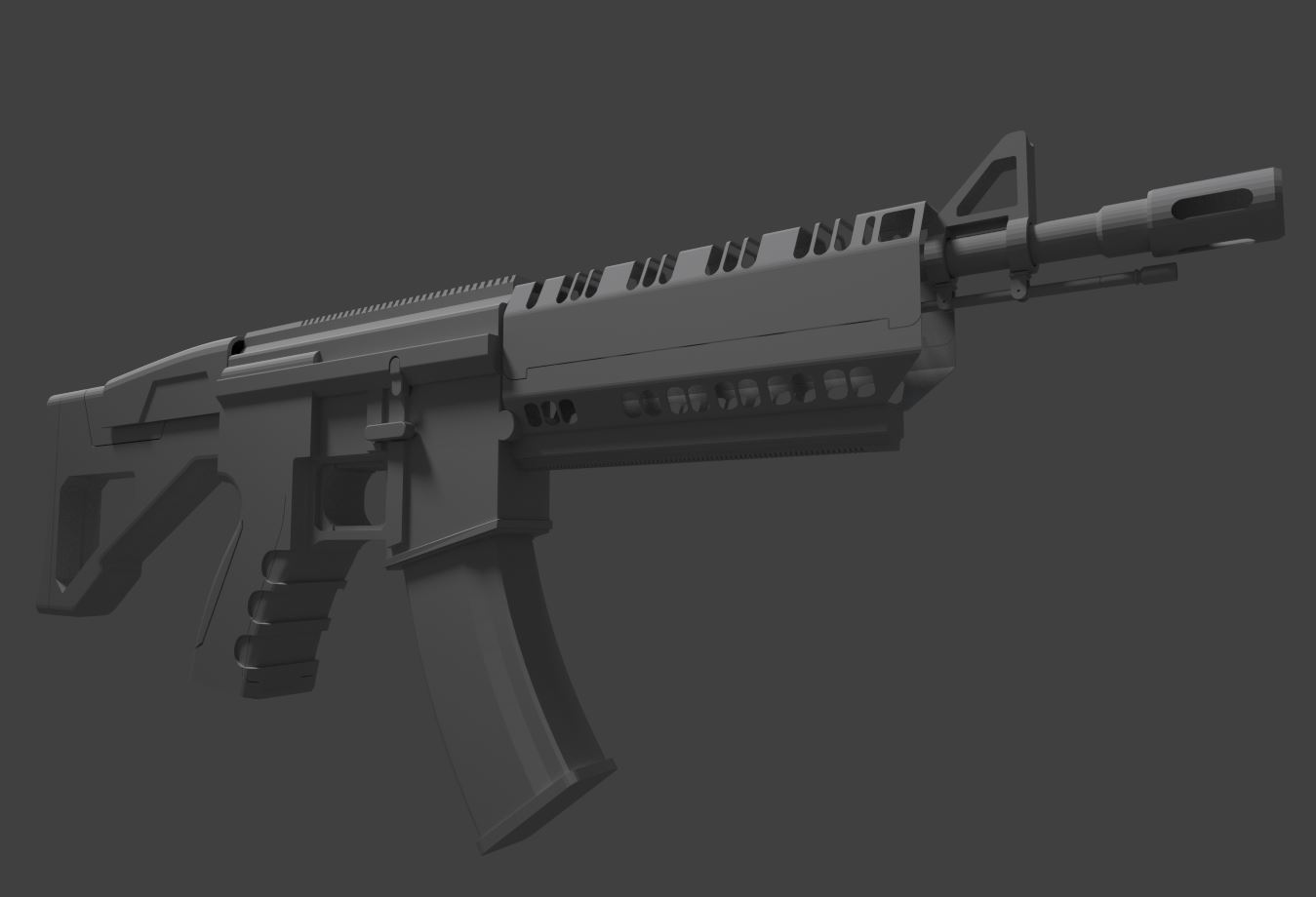
I have always had issues modelling guns so it’s something I’ve been practicing for a while. However I am never quite pleased with my final result. And after watching various videos I feel that I am at least on the right track as far as approach. I’m not big on firearms personally but well presented ones are always a work of art. Especially designs and ornate patterns. So the first example I want to show is this guy.

https://www.artstation.com/artist/ethanhiley

As a big COD fan coming across his Artstation showed me just how fine the guns I take for granted actually look up close. Freaking amazing.

Now the modelling and getting ergonomic shapes that suit the hand or arm is also something I always ponder as well. So for this I watched a timelapse about 5x from a friend of mine Edon.

He also has a gumroad page if you want something more training oriented.

https://gumroad.com/edonguraziu

The modelling especially caught my eye. The clever use of booleans and beveling and not an ounce of subdivision. I was quite impressed with the video and technique. Personally Maya always seemed a bit rigid for speed modelling but Edon showed me in that video how it’s done. The main part I took to heart is that you are able to boolean>> difference a flat form with an elongated cylinder and then bevel the perimeter ring. Usually beveling edges against n-gons is a surefire way to go to undo button and make life miserable. However through repeatedly watching this video I noticed that the bracing edges had to be relocated to get that smooth translation. I have seen the light as far as that’s concerned.

Now when it comes to presentation I feel that the typical floating in space object just can’t cut it anymore for a result so design and presentation must work hand in hand. Before I do allow me to add another tidbit I learned today.

“As I’m able to create a lot of detail fast with dynamasks I have started to keep my sculpts simple and only sculpt big shapes, details that wont change the shape of the low poly i can do in the suite. Other then that I have started doing things outside of the suite that I wouldn’t do if I didn’t have the suite”

This isn’t completely gun related however this is concerning the texturing. And also Quixel magazine.

http://dev.quixel.se/issue09

To be honest I thought this issue was a bit whack where I wish they would at least give tips on the programs or something. The articles just seem so vague. But I’ll make that magazine or book better yet haha.

Anyways the gist of that quote was that this person literally has their block in and does everything else in texturing. So the details and texturing both work hand in hand as a team. Geometric complexity alone wont do it or you’ll be like the cover of this month’s 3d artists magazine.

http://www.polycount.com/forum/showthread.php?p=2308983#post2308983

It’s a great helmet however I am going for robots that are a little more personal. Love the model though. It’s that marriage of  texture and micro detail that I’m seeking which brings me to my next point.

This guys video showed me the light in ways I can’t begin to explain. The technique is solid and I get enough of an idea to take it into my pipeline. Those guns are very nice and exactly what I was missing. Personality. Those guns look like they belong to specific people and that is interesting to me.

So in closing…. Allegorithmic. My boys in blue. Just updated Substance Designer.

https://www.allegorithmic.com/products/substance-designer/release-notes/5.0

If you don’t feel like reading here’s what matters. To me at least.

[Content] Add “Detail Oriented” technique to Normal combine filter
[Content] Add Vray/Corona/Redshift/Arnold targets to the PBR converter filter (to convert maps for these renderers)
[3D View] Add tessellation to PBR shaders

The last 2 are the main ones for me. PBR to Vray support. Oh yes. Now there’s is a node for conversion instead of using tricks to render it. And that means that other renderers too! So Cycles is next as well. Now tessellation is important for  viewing height information while creating shaders so this is also an amazing addition because I’ve complained about this for a while. I was actually going to close this post here but while we’re talking about SD allow me to show you the future of their viewport.

Who’s better Allegorithmic or Quixel?

That’s an unfair choice to force yourself to make. Both programs offer you workflows that have both strengths and weaknesses. SD can get a bit complicated for very basic things sometimes but the flexibility and non destructive nature makes it a very powerful choice. Being able to make sbars and interactive textures is indispensable in my life. However Quixel is a powerhouse and with Photoshop in tow you’re in good care with the most powerful image editor in this galaxy at your fingertips. So the answer is both. I leave Quixel and go into Substance. Sometimes I paint my base maps in Substance and then go into Quixel. But using them together is just pure power. Algorithmic was on a steam sale a while back. And I was given a key for Quixel by a great artist.

Georgian is a friend of mine who recently was in Quixel magazine in issue 03.

http://dev.quixel.se/issue03

He was in this issue showing off a fabulous model that he was so kindly as to share and give away on his Gumroad along with a breakdown. It’s kind of a classic but I might as well make this post a link fest.

https://gum.co/FXWJJ

This blog also talks alot about nDo and is a good place to start.

http://advancedndo.tumblr.com/

I’d definitely recommend checking those guys out and support, subscribe or follow. But that’s all for now. In the shadows I work and wait and grind… and play Black Ops 3 for PS4! Beta just drooped today!

Add me on ps4: finaleX

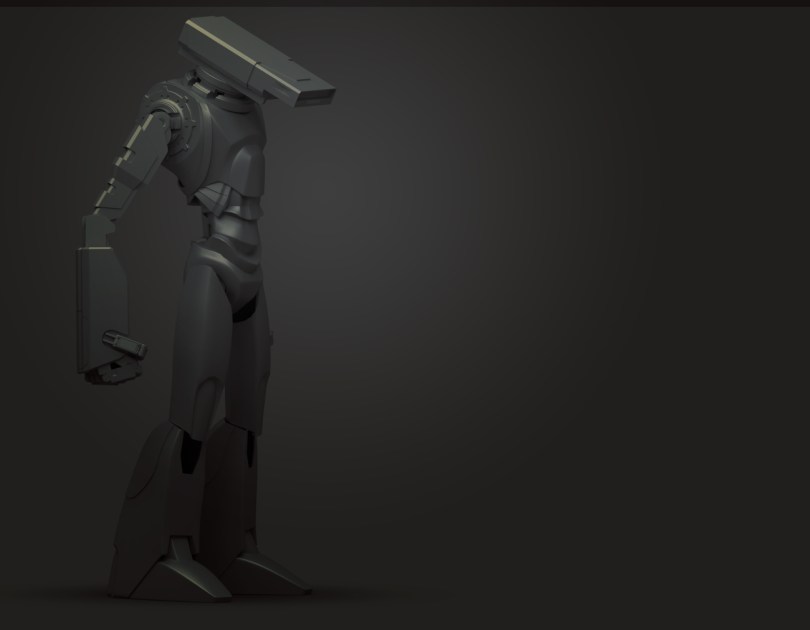
edit: Can’t end a post without soooomething Blender related. So I share with you all my latest robot WIP. D-29

Blender/3d: Custom Normals

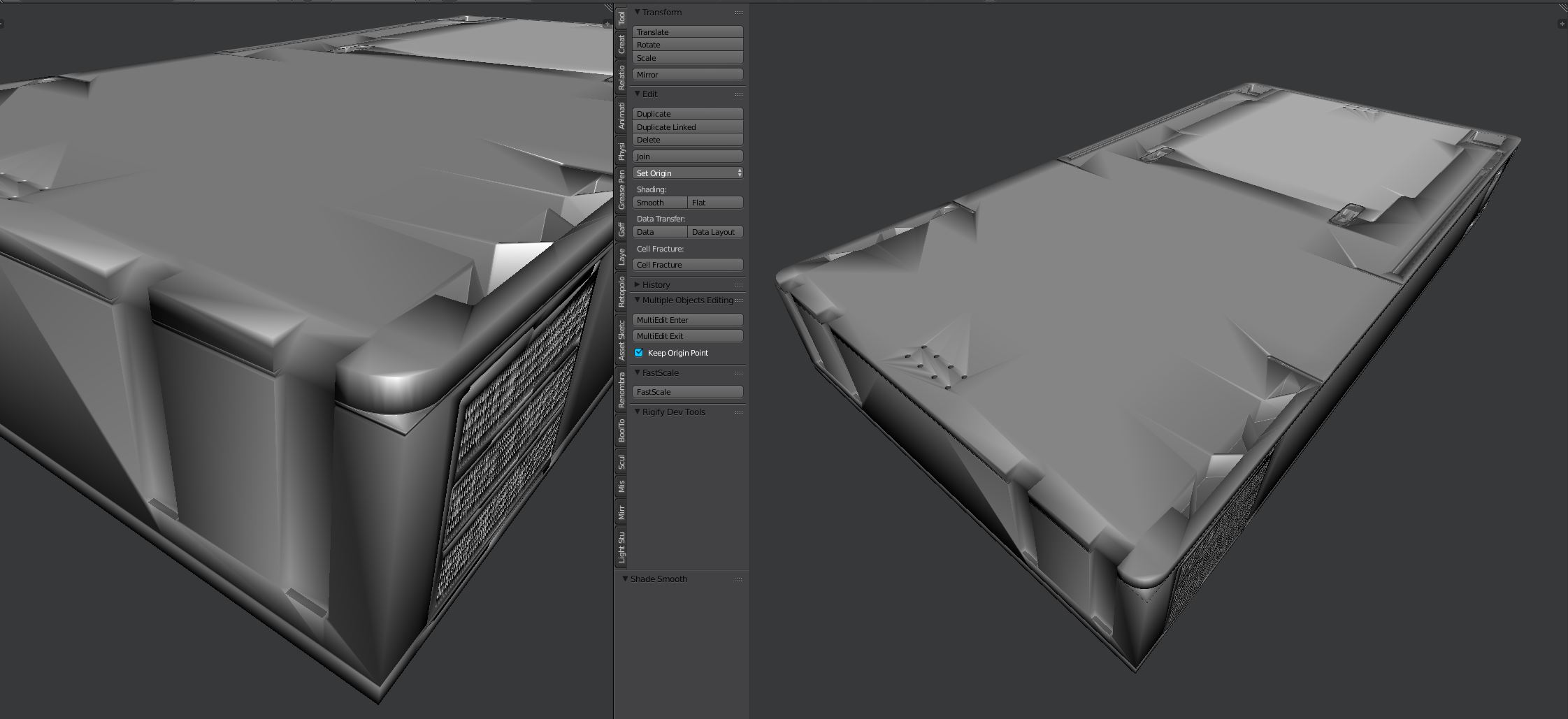
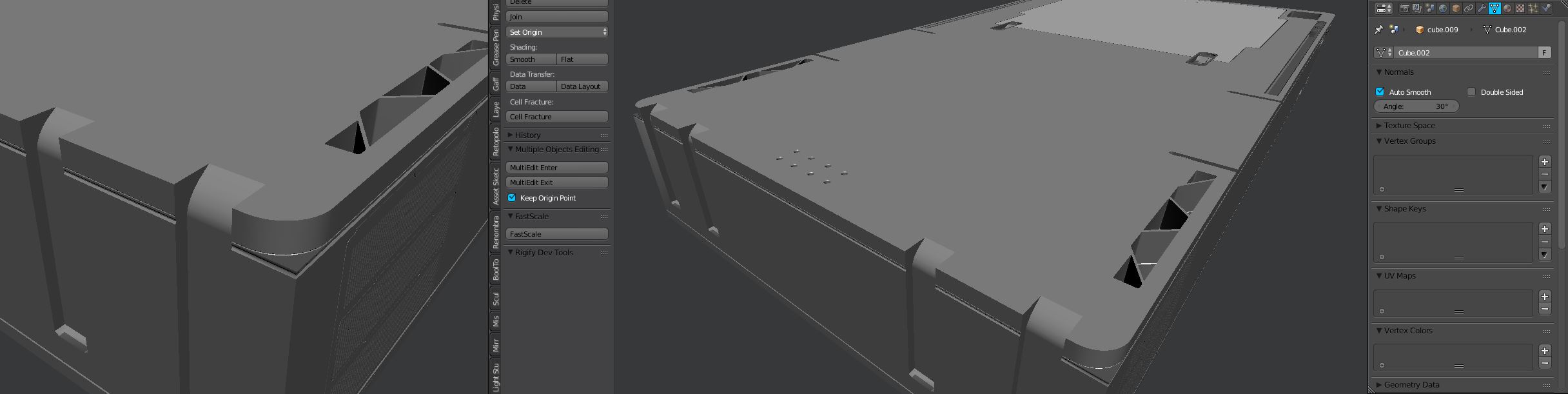
In this blog post I wanted to go over custom normals for hard surface creation. I plan on keeping it short but still I find this essential nonetheless. Custom normals exist in most applications and is essential. Maya users are familiar with the process of hardening edges and softening them in addition to locking them down. For this quick post I wanted to discuss ways in Blender to get smooth shading without all the fuss of horrible looking edges or exact tweaking.

CN1

The first image above shows the mesh on flat shading without any smoothing. While it looks moderately acceptable, for the baking it will show unwanted faceting and make the normal/height show stair stepping that would be undesirable for the final result. When I click set smooth all my problems come to light and show the roughness of my workflow of booling insane amounts of shapes into a planar form.

CN2

Funny enough. Before custom normals were added I used to fight with this so much and would use the split edges modifier to make life easier. This also increased the vert count substantially and made the mesh denser than the process of making it which was also a bad thing.

In the object tab there is a normals tab where you can check auto smooth and set an angle as well as turn on double sided (which isn’t needed). The default angle is 180 which isn’t going to show any difference however once you lower it down to either 30 or 60 the normals begin to look much better.

CN4

The final mesh is now ready to be exported / baked or whatever I plan to. To set manual edges you can press ctrl + e >> mark sharp. This will sharpen the edge similar to how Maya has Normals >> harden edge. I use that as well for shapes I boolean into other shapes and the amazing part is the sharp edges translate well into the subsequent object along with vertex paint, materials and even UVs.

CN5

But that is all for this tutorial on custom normals. I hope this helps you in your hard surface endeavors. Also be sure to check out my latest tutorial about modelling sci-fi floor pieces using the mesh subtraction kit.

I’ll leave you with one more image showing the process on a basic cylinder to help drive the point home.

damnJordan

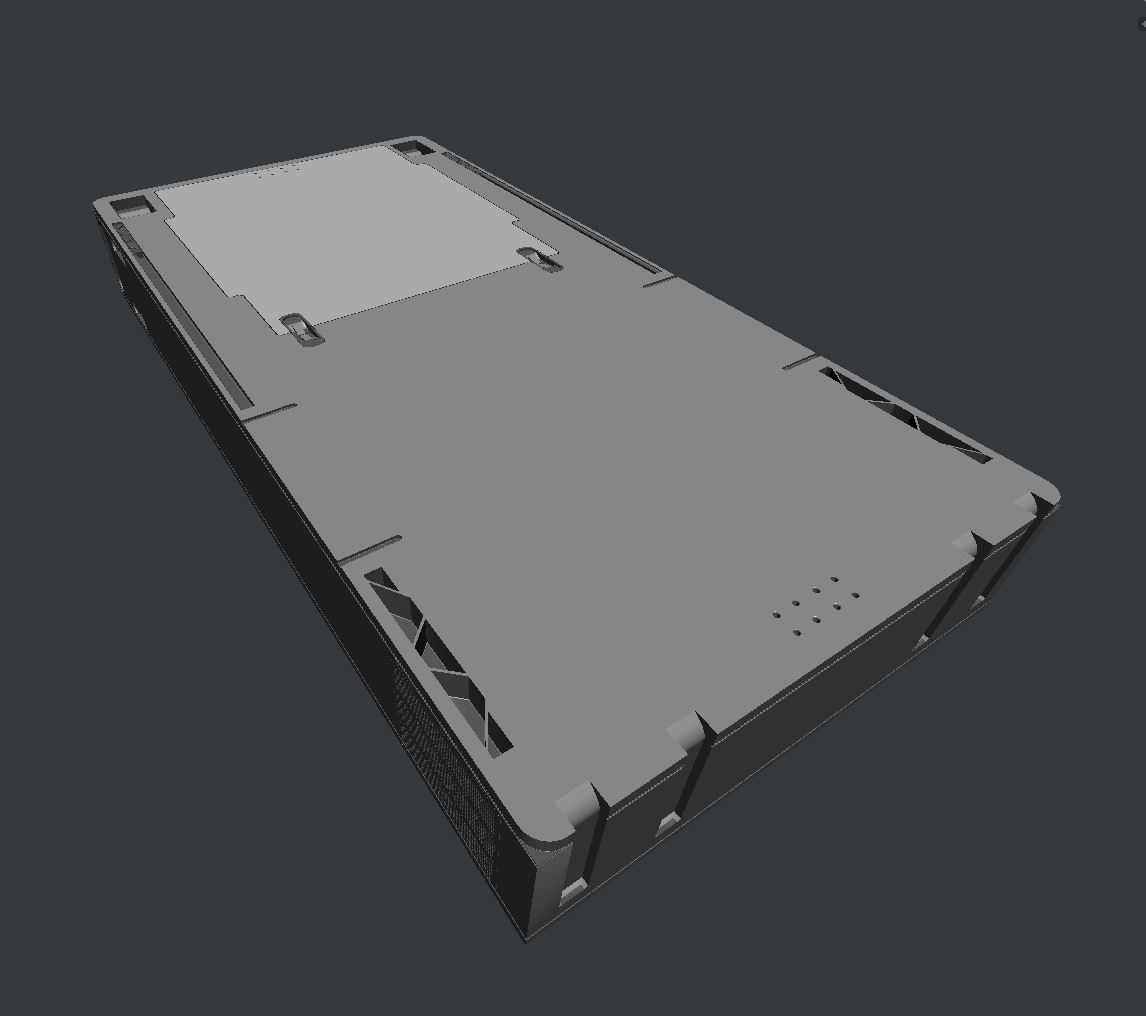
For being cool enough to read my blog I would like to also throw in a free floor! You can check it out and see the custom normal smoothing in action! Thanks again!

https://www.dropbox.com/s/rslorvtw9xnl1am/FreebieFloor.blend?dl=0

Also… the default cube of the future.

https://www.patreon.com/posts/3032558

UltCube