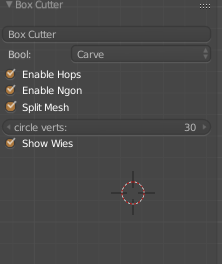
Box Cutter Guide V1

Box Cutter is released! https://gumroad.com/l/BoxCutter#

https://gumroad.com/js/gumroad-embed.js

Legacy Hard Ops users will of course receive a discount.

Box Cutter is a brother of Hard Ops and a standalone product.

IF YOU HAVE THE RED BOX DEMO ONLY THE RED BOX IS AVAILABLE.

To start it press alt + w. To draw a sub box press ctrl + left click and drag. It requires a selection otherwise it uses the selection lasso.

BoxCutter is a secondary project focusing on cutting with a different perspective than the toolset we all know as Hard Ops. They are intended to be used together however separately they still work albeit behave differently.

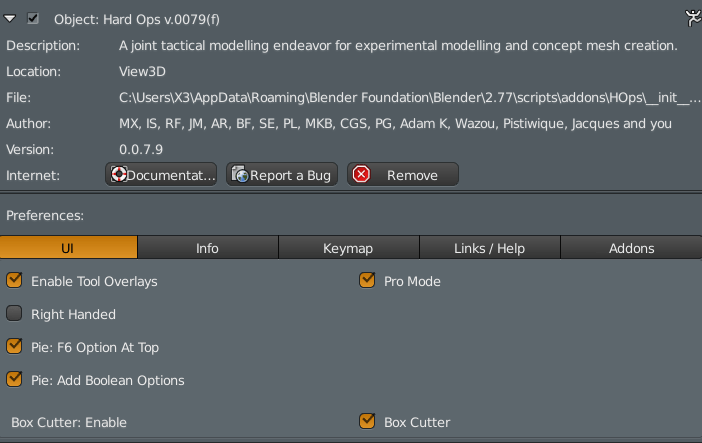
Starting box cutter after enabling the add on is under the hard ops T panel.

2016-04-25_18-09-19

The t-panel is worth looking  into.

blender_2016-05-01_08-18-59

This step is important since it allows the sharpening to happen after cutting. The beveling and sharping helps in differentiating the shapes easier when they are the same color.

Also Hard Ops received a last minute update to support box cutter in the Q menu under mesh tools in object mode.
blender_2016-04-25_18-13-57

The last one isn’t necessary however it’s there for additional functionality. The hotkey at the moment is Alt + W.

In total theres 3 ways to start box cutting.

Alt  + W

T panel >> hard ops

Q >> Mesh Tools >> Box Cutter 

That is as easy as we can make it.

Now for the complicated stuff but very fun stuff.

Firstly when you are in box cutter the screen has indicators. This is important. Very very important.

blender_2016-04-25_18-21-39

The box on the right is AR’s idea of indicating Box Cutter mode. I wanted it red but haha its grey. On the left is the Cutter indicator.

This is something you want to be aware of.

D – changes mode (Box , Circle, Ngon) for now (while in box cutter state)

Esc cancels

So basically in Object mode you can use D to change cutter mode. And cancel with escape. You want to cancel when you aren’t using it since we currently are still dealing with it. You can open multiple box cutters on top of each other by accident. Which is unexpected and unwanted behavior.

So now lets get cutting!

2016-04-25_18-28-01

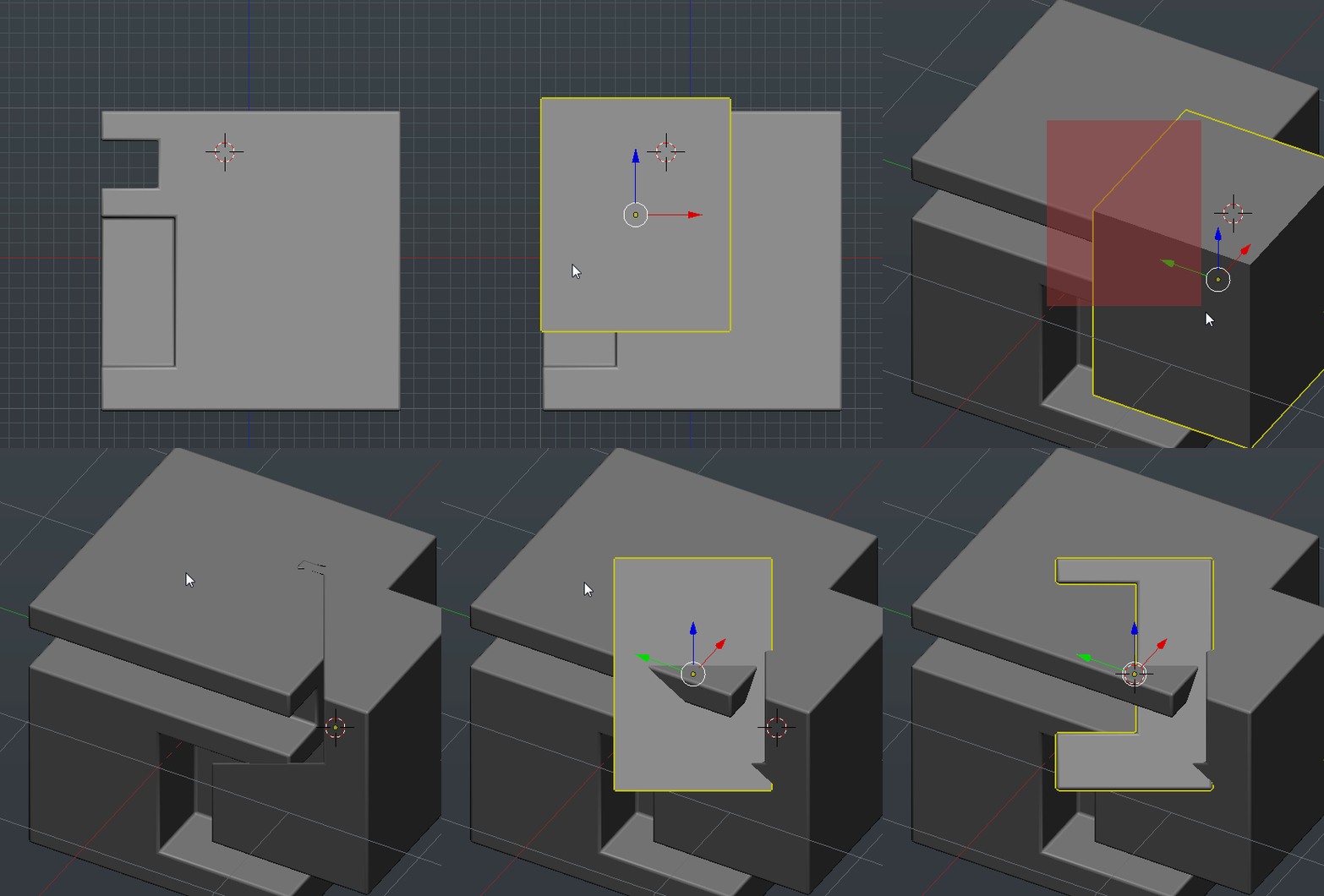
Holding down ctrl allows for you do cut out a shape in a box that you draw.

However this has a modifier to it as well. Holding alt while drawing makes it cut to the depth level of the 3d cursor!

2016-04-25_18-31-08

This is quite an interesting behavior when you want to control depth however we are still examining other options. But there is more to it than even that.

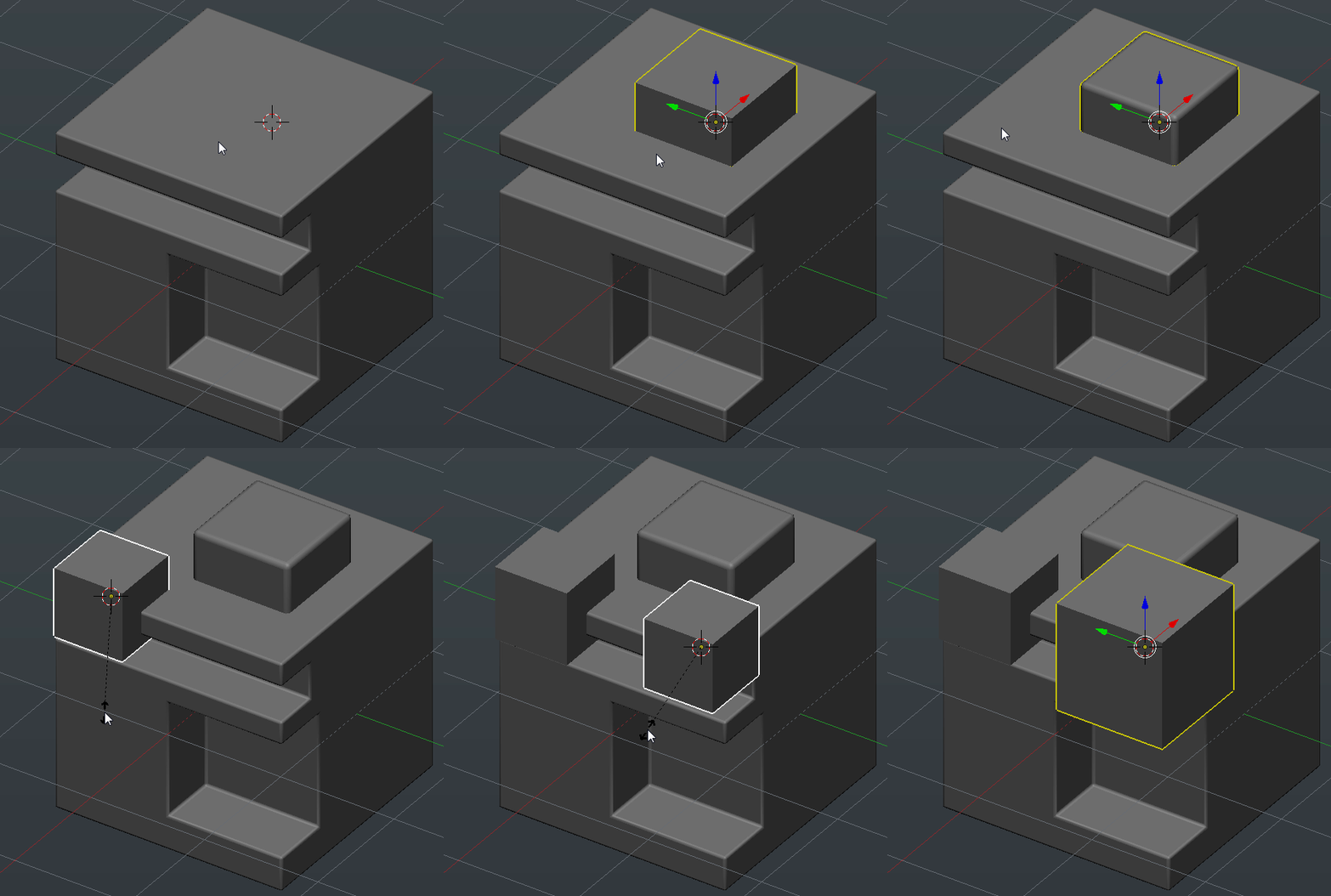
If nothing is selected you can draw a white box. This is just for creating a quick box.
 

2016-04-25_18-34-58

With nothing selected it draws white boxes and with a selection it draws a sub box. If you hold ctrl + shift when drawing with nothing selected you will draw a box from the 3d cursor’s position.
2016-04-25_18-37-00

This behavior is intended for speed so pressing things without being aware can make for a crazy experience. Kinda like opening Zbrush for the first time.

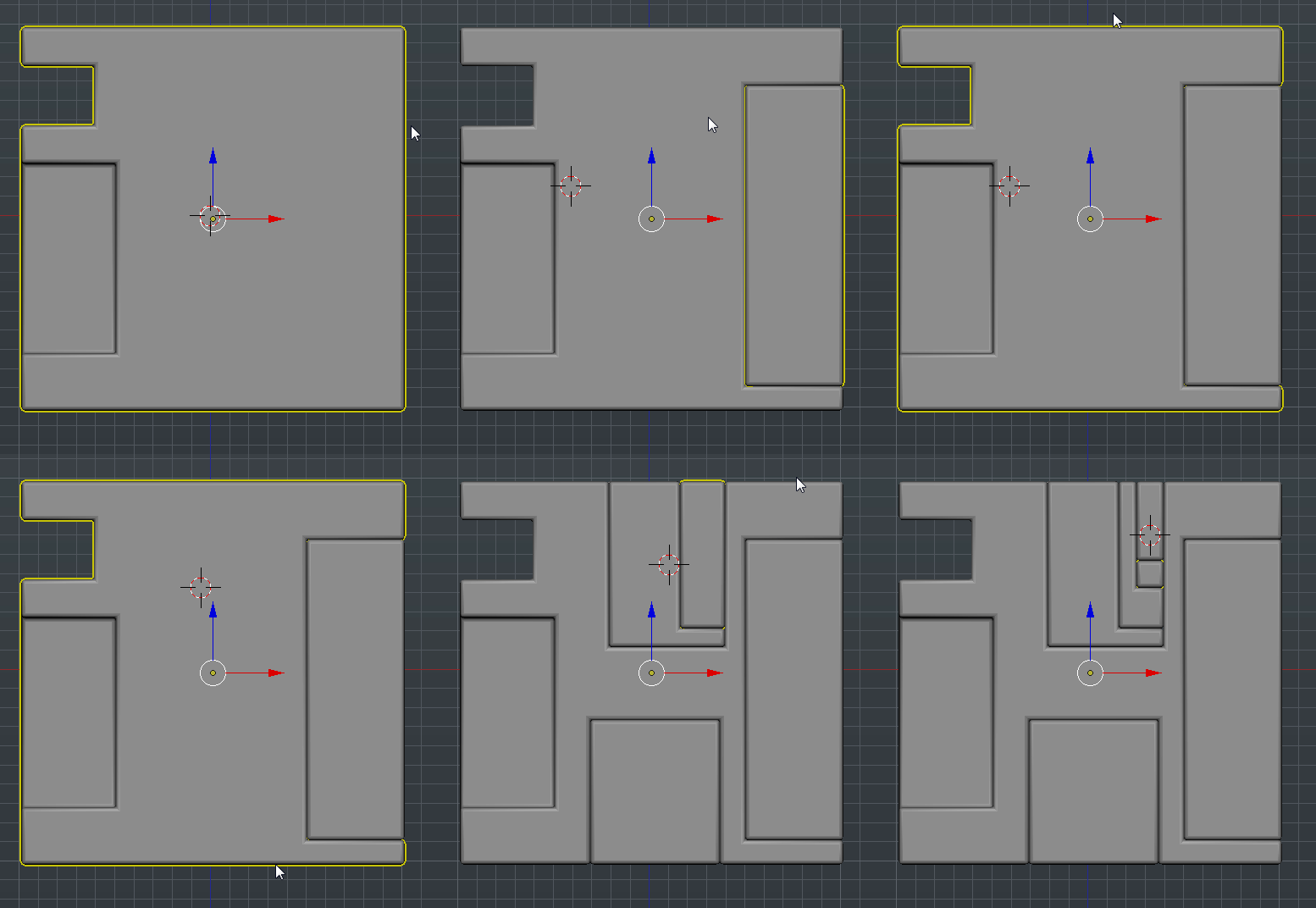
While the sub and additive brushes seem awesome the real favorite for me is the slicer. This brush will slice out the mesh into a new section similar to the rebool but with a whole different perspective.
2016-04-25_18-40-44

Holding ctrl + shift will bring up the slice/rebool box. The same modifier of shifting to alt during still applies for cutting with depth. The way Box Cutter is setup is that you can make quick cuts in quick succession then go in for the kill with finer detail and Hard Ops based workflow.

Admittedly this will take some practice but hey this is version 1. As with Hard Ops we plan to make large improvements over time and refine it the level of what we consider “finished”.

When it comes to the art of cutting in Blender it goes without saying that guidance edges are as important as ever when it comes to performing booleans successfully. So additionally the option to fast bisect has been mapped to ctrl + D. Pressing it will take you into an edit mode setup where you can quickly click drag and bisect.

2016-04-25_18-48-56

For this basic example it is overkill but in the thick of things this is a very useful tool to ensure your bevels and booleans are working together. Otherwise this method of creation can become a game of luck when eventually you hotline and have to undo.

Additional shapes exist with the same behaviors like ngons and circles however they are more experimental at this time.
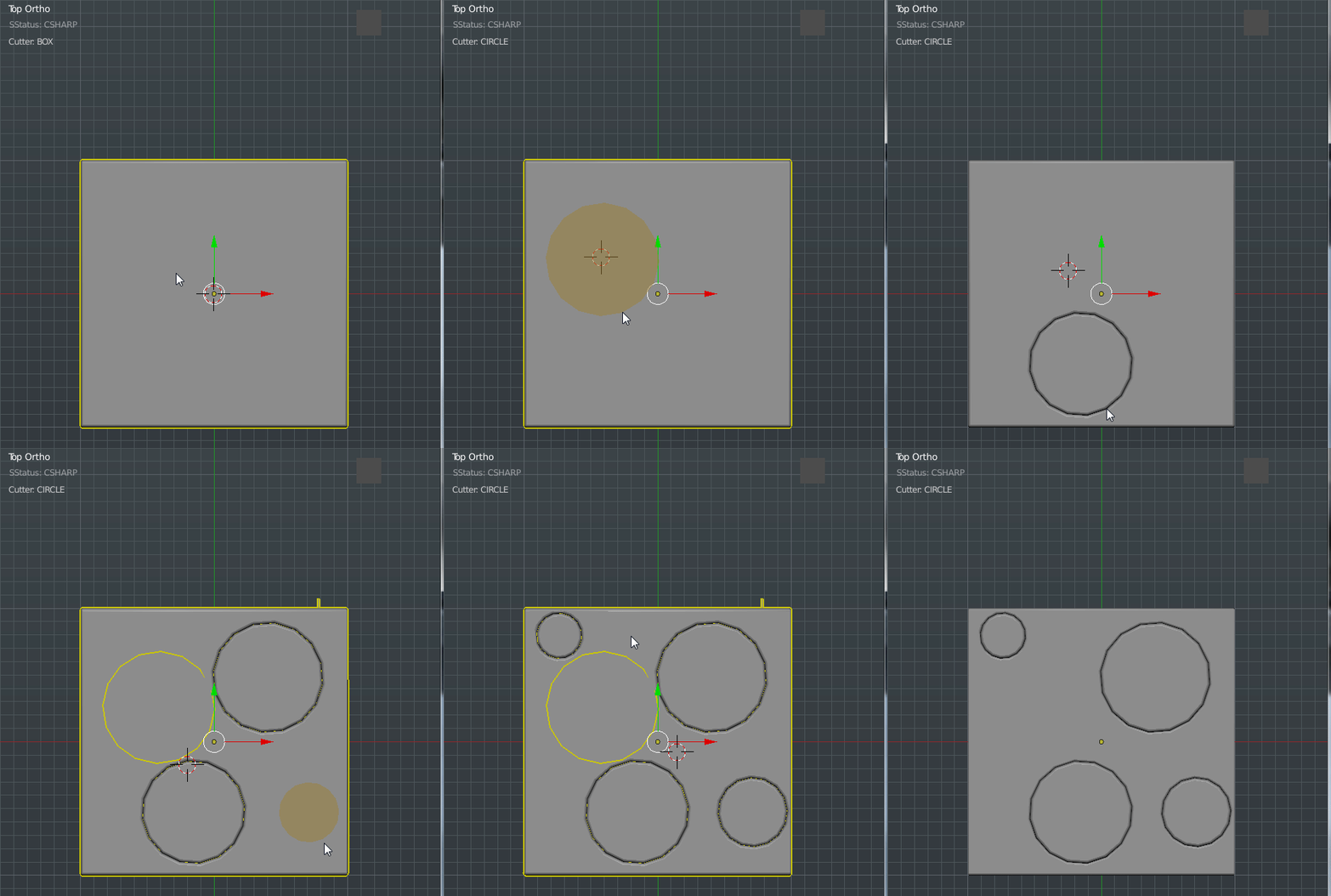
2016-04-25_18-54-27

Ngons exist too but they’re my least favorite at this time. And also are the most experimental.
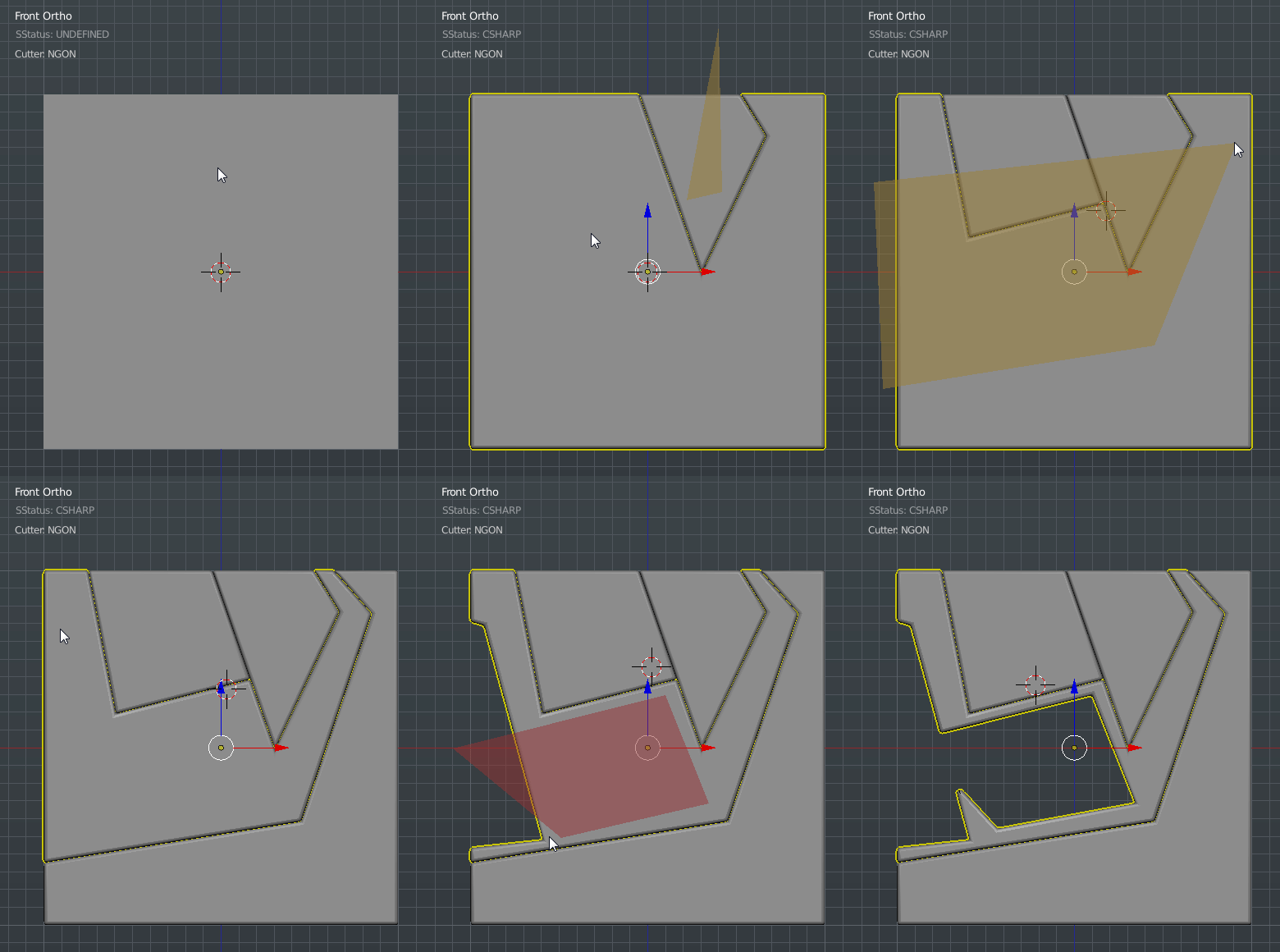
2016-04-25_19-06-39

You have to click to start which provides no feedback until the 3rd point or so. This behavior I feel will be the hardest to get used to however it is available for those who want to use ngon shapes.

We still have much more planned on expansions for this in the future so stay tuned for more information. This wiki is a bit short at this time however a more detailed one will follow.
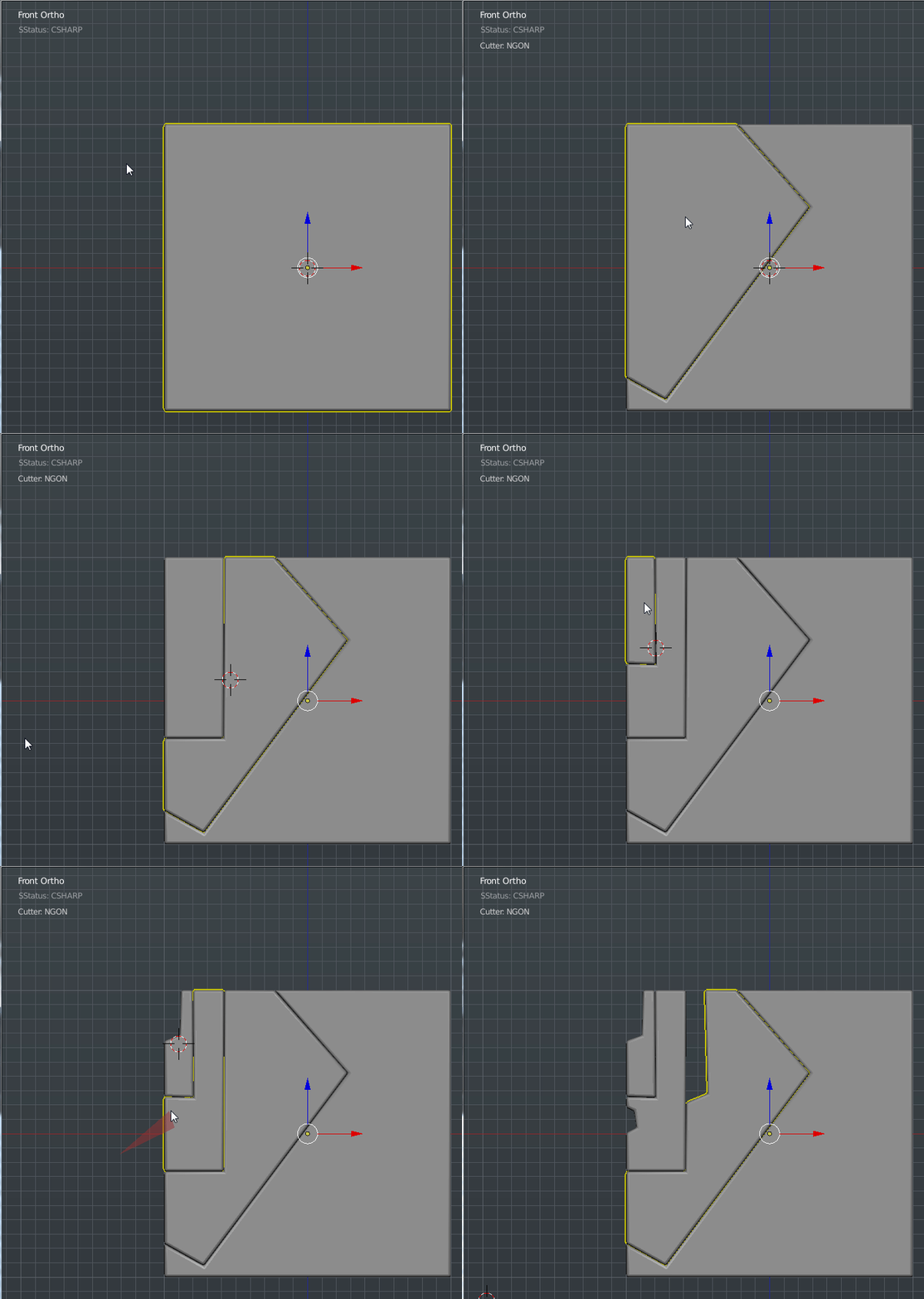
2016-04-25_19-04-29


Notes. Esc ends box cutter. End box cutter before closing your scene or opening files. The red border is to let you be aware of box cutter mode. So you don’t accidentally press alt + W twice.
Black Ops 3 Beta – Fun Times

I have has the pleasure recently of being able to play the COD BO3 Beta for the Playstation 4! It has been a hell of an experience. I absolutely love it! Now issues aside this has been a good chance to get a taste of the gameplay and I for one look forward to the future. The more aerial we get, the better. You can now run on walls use special abilities specific to your character in addition to all the expected revamps. This demo is faster and more furious than previous iterations and that’s a good thing. If I had any complaints at all they would be.

-One Shot – you know I love it. Where is it?

-Customization for characters – nuff said.

-Reverse trigger functions compared to Advanced Warfare.

The last one really irks me I mean, Cmon whats up with that? I hate it when I can’t use the same controls. The controls I call the COD controls! Its not that big of a deal but its my only complaints.

When you’re running and gunning while running on walls with the ability to rewind time. It’s an experience that is unreal. I have played all of the COD titles and the farther we move from WW2 the better. The environments look amazing and diving into the water to swim and lurk is great. I cannot wait to this to come out. But enough ranting! Heres a clip from me playing earlier!

Add me on PS4: finaleX

It also goes without saying. Gun porn. These guns look amazing. Sometimes I die because I’m looking for facets in the modelling.

Edit: https://youtu.be/m23CB4L43iQ

Pew Pew!

I have always had issues modelling guns so it’s something I’ve been practicing for a while. However I am never quite pleased with my final result. And after watching various videos I feel that I am at least on the right track as far as approach. I’m not big on firearms personally but well presented ones are always a work of art. Especially designs and ornate patterns. So the first example I want to show is this guy.

https://www.artstation.com/artist/ethanhiley

As a big COD fan coming across his Artstation showed me just how fine the guns I take for granted actually look up close. Freaking amazing.

Now the modelling and getting ergonomic shapes that suit the hand or arm is also something I always ponder as well. So for this I watched a timelapse about 5x from a friend of mine Edon.

https://youtu.be/HrU3SKv-1lw

He also has a gumroad page if you want something more training oriented.

https://gumroad.com/edonguraziu

The modelling especially caught my eye. The clever use of booleans and beveling and not an ounce of subdivision. I was quite impressed with the video and technique. Personally Maya always seemed a bit rigid for speed modelling but Edon showed me in that video how it’s done. The main part I took to heart is that you are able to boolean>> difference a flat form with an elongated cylinder and then bevel the perimeter ring. Usually beveling edges against n-gons is a surefire way to go to undo button and make life miserable. However through repeatedly watching this video I noticed that the bracing edges had to be relocated to get that smooth translation. I have seen the light as far as that’s concerned.

Now when it comes to presentation I feel that the typical floating in space object just can’t cut it anymore for a result so design and presentation must work hand in hand. Before I do allow me to add another tidbit I learned today.

“As I’m able to create a lot of detail fast with dynamasks I have started to keep my sculpts simple and only sculpt big shapes, details that wont change the shape of the low poly i can do in the suite. Other then that I have started doing things outside of the suite that I wouldn’t do if I didn’t have the suite”

This isn’t completely gun related however this is concerning the texturing. And also Quixel magazine.

http://dev.quixel.se/issue09

To be honest I thought this issue was a bit whack where I wish they would at least give tips on the programs or something. The articles just seem so vague. But I’ll make that magazine or book better yet haha.

Anyways the gist of that quote was that this person literally has their block in and does everything else in texturing. So the details and texturing both work hand in hand as a team. Geometric complexity alone wont do it or you’ll be like the cover of this month’s 3d artists magazine.

http://www.polycount.com/forum/showthread.php?p=2308983#post2308983

It’s a great helmet however I am going for robots that are a little more personal. Love the model though. It’s that marriage of  texture and micro detail that I’m seeking which brings me to my next point.

This guys video showed me the light in ways I can’t begin to explain. The technique is solid and I get enough of an idea to take it into my pipeline. Those guns are very nice and exactly what I was missing. Personality. Those guns look like they belong to specific people and that is interesting to me.

So in closing…. Allegorithmic. My boys in blue. Just updated Substance Designer.

https://www.allegorithmic.com/products/substance-designer/release-notes/5.0

If you don’t feel like reading here’s what matters. To me at least.

[Content] Add “Detail Oriented” technique to Normal combine filter
[Content] Add Vray/Corona/Redshift/Arnold targets to the PBR converter filter (to convert maps for these renderers)
[3D View] Add tessellation to PBR shaders

The last 2 are the main ones for me. PBR to Vray support. Oh yes. Now there’s is a node for conversion instead of using tricks to render it. And that means that other renderers too! So Cycles is next as well. Now tessellation is important for  viewing height information while creating shaders so this is also an amazing addition because I’ve complained about this for a while. I was actually going to close this post here but while we’re talking about SD allow me to show you the future of their viewport.

Who’s better Allegorithmic or Quixel?

That’s an unfair choice to force yourself to make. Both programs offer you workflows that have both strengths and weaknesses. SD can get a bit complicated for very basic things sometimes but the flexibility and non destructive nature makes it a very powerful choice. Being able to make sbars and interactive textures is indispensable in my life. However Quixel is a powerhouse and with Photoshop in tow you’re in good care with the most powerful image editor in this galaxy at your fingertips. So the answer is both. I leave Quixel and go into Substance. Sometimes I paint my base maps in Substance and then go into Quixel. But using them together is just pure power. Algorithmic was on a steam sale a while back. And I was given a key for Quixel by a great artist.

Georgian is a friend of mine who recently was in Quixel magazine in issue 03.

http://dev.quixel.se/issue03

He was in this issue showing off a fabulous model that he was so kindly as to share and give away on his Gumroad along with a breakdown. It’s kind of a classic but I might as well make this post a link fest.

https://gum.co/FXWJJ

This blog also talks alot about nDo and is a good place to start.

http://advancedndo.tumblr.com/

I’d definitely recommend checking those guys out and support, subscribe or follow. But that’s all for now. In the shadows I work and wait and grind… and play Black Ops 3 for PS4! Beta just drooped today!

Add me on ps4: finaleX

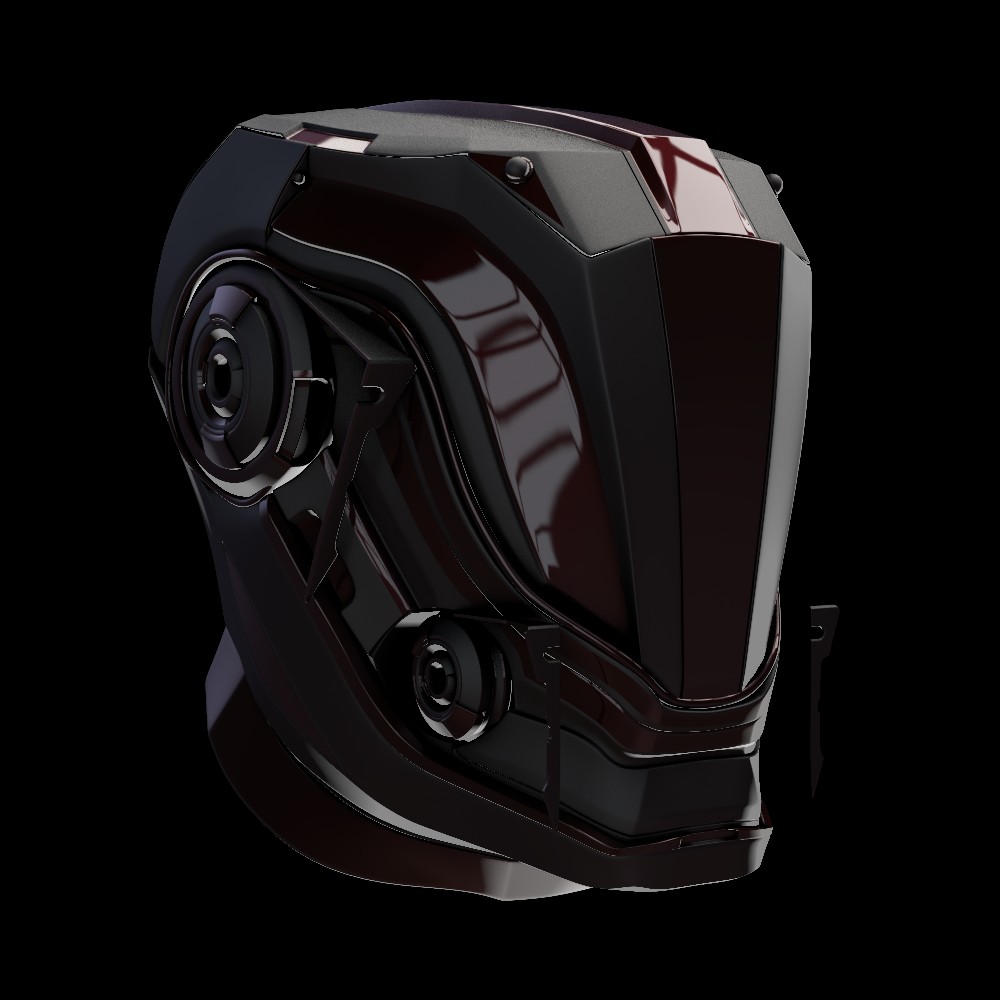
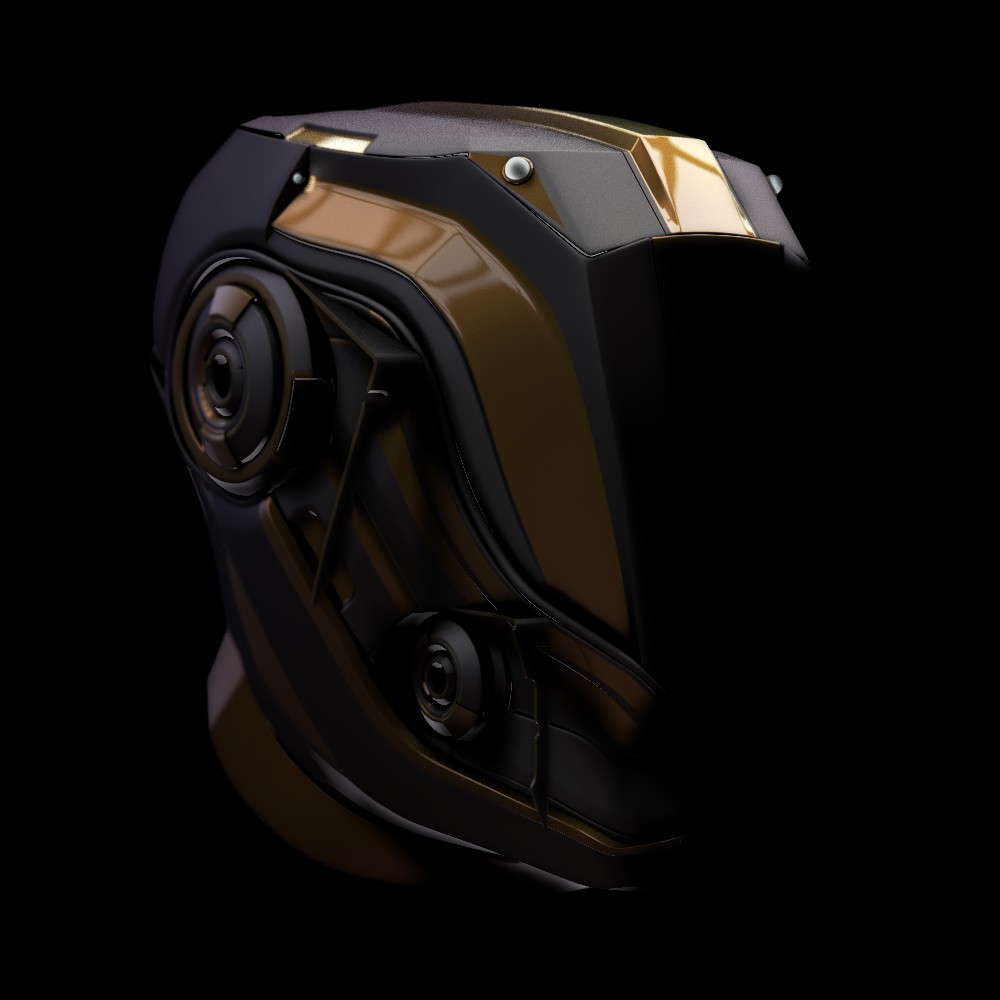
edit: Can’t end a post without soooomething Blender related. So I share with you all my latest robot WIP. D-29